Greetings! I'm Aneesh Sreedharan, CEO of 2Hats Logic Solutions. At 2Hats Logic Solutions, we are dedicated to providing technical expertise and resolving your concerns in the world of technology. Our blog page serves as a resource where we share insights and experiences, offering valuable perspectives on your queries.
WooCommerce vs Shopify is one of the most searched platform comparisons in e-commerce, and for good reason. Both power millions of online stores worldwide, and choosing between them directly impacts how much time you’ll spend managing your store versus growing your business.
This guide doesn’t pick a side up front. Instead, it walks you through every dimension that matters: cost, ease of use, SEO, security, AI features, and scalability, so you can make the right call for your specific situation, budget, and technical ability.
2026 Market Snapshot: WooCommerce powers approximately 36-38% of all eCommerce sites globally. Shopify holds around 27-28% market share but dominates revenue per merchant, meaning Shopify stores tend to generate more sales per store. Neither platform is universally better. The right choice depends on your goals.
Understanding Platform: Shopify vs WooCommerce
Your platform architecture shapes your daily business experience. This choice impacts everything from launch speed to ongoing maintenance requirements.
Shopify
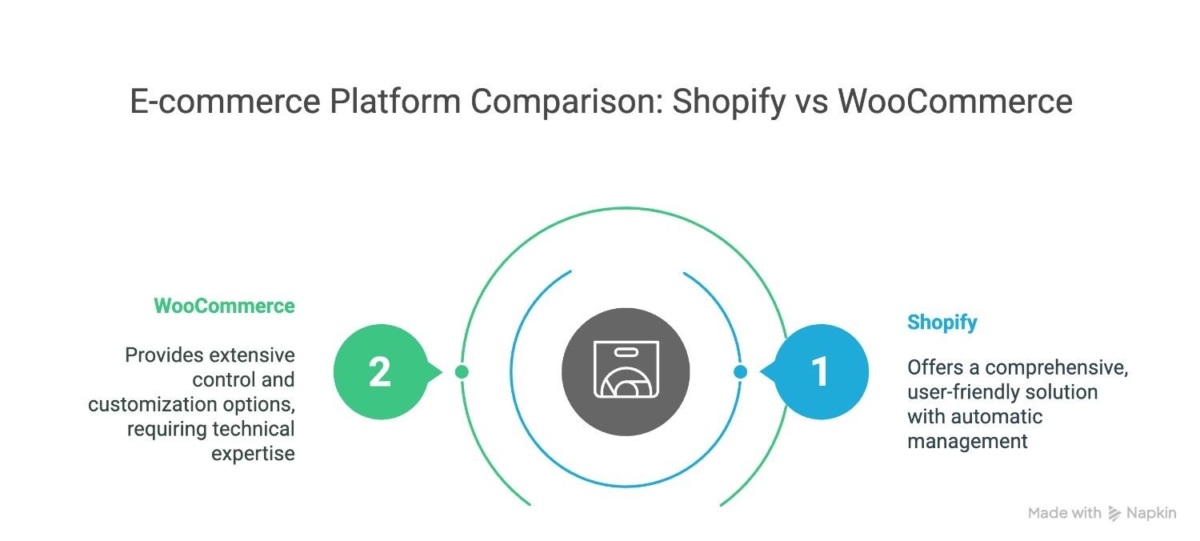
Shopify is a fully hosted, all-in-one e-commerce platform launched in 2006. Think of it as renting a fully equipped store inside a managed shopping mall, the infrastructure, security, hosting, and updates are all handled by Shopify. You log in, add your products, and sell. Nothing else to configure.
As of 2026, Shopify powers over 5.6 million live stores globally, from solo entrepreneurs to brands like Gymshark and Allbirds.
WooCommerce
WooCommerce is a free, open-source plugin for WordPress, launched in 2011. It transforms any WordPress website into a fully functional online store. You own everything, the code, the data, the hosting, but you’re also responsible for everything.
WooCommerce has access to over 59,000 WordPress plugins and powers more than 36% of all e-commerce sites globally, making it the most widely installed e-commerce solution by sheer volume.
Key Difference: Shopify is a product you subscribe to. WooCommerce is software you run yourself. This single distinction cascades into nearly every other difference discussed in this guide.
Before diving into the details, here’s the short version based on 2026 real-world usage patterns:
| Your Situation | Better Platform |
| You want to launch fast without a technical setup | Shopify |
| You have a WordPress site and want to add a store | WooCommerce |
| You need deep SEO control and custom URL structures | WooCommerce |
| You want built-in AI tools for content and marketing | Shopify |
| You’re a developer who wants full code access | WooCommerce |
| You want predictable monthly costs with zero maintenance | Shopify |
| You’re on a tight budget at the startup stage | WooCommerce |
| You need POS + online selling in one system | Shopify |
| You need complex custom integrations (ERP, B2B) | WooCommerce |
| You want enterprise-level support included in the plan | Shopify |
Read on for the full breakdown behind each of these recommendations.
WooCommerce vs Shopify: Feature Comparison
Here’s a detailed, category-by-category breakdown of how WooCommerce and Shopify compare across every major feature.
Security
Online security threats increase daily. Your platform choice determines whether security becomes your problem or someone else’s responsibility.
Shopify
Security is fully managed by Shopify. SSL certificates, PCI DSS compliance, DDoS protection, and automatic security patches are all included in every plan. You don’t manage any of this, Shopify’s security team does, around the clock.
This is particularly valuable for merchants who are not technically inclined. A missed security update on a self-managed store can expose customer data and result in legal liability.
WooCommerce
WooCommerce security depends entirely on your technical skills and diligence. WordPress core updates, plugin patches, and server security become your responsibility.
Missing a single security update can expose customer data and destroy your business reputation. The technical knowledge required goes beyond most business owners’ expertise.
The majority of WordPress and WooCommerce security incidents are not sophisticated attacks, they exploit outdated plugins or weak credentials. These are preventable, but they require consistent attention.
Verdict: Shopify wins on security by default. WooCommerce can be equally secure, but requires active maintenance and, for stores processing sensitive customer data, dedicated security investment.
Performance
Website speed directly impacts your bottom line. Every second of delay reduces conversions by 7%. Your platform choice affects loading speeds significantly.
Shopify
Shopify’s infrastructure is globally distributed and heavily optimized out of the box. In 2026 benchmarks, Shopify stores average a 1.8-second page load time without any additional optimization. CDN delivery, automatic image compression, and server-level caching are all included.
Mobile performance is treated as a first-class priority across all Shopify themes. This matters because mobile commerce continues to grow as a share of total e-commerce revenue.
No technical optimization knowledge required. Fast performance comes standard with every Shopify plan.
WooCommerce
WooCommerce performance is entirely dependent on three variables: your hosting provider’s quality, your theme’s code efficiency, and your plugin stack. The variance is enormous. A well-optimized WooCommerce store on premium managed hosting can match or beat Shopify speeds. A poorly configured one will load in 5+ seconds and lose a significant share of potential customers.
Data from 2026 shows that only about 51% of WooCommerce stores achieve sub-second page speeds after optimization, meaning nearly half are slower than recommended benchmarks even after effort has been invested.
Achieving fast WooCommerce speeds requires ongoing technical optimization. This expertise costs significant time or money.
Verdict: Shopify wins on baseline performance. WooCommerce can match it, but requires investment in quality hosting and ongoing optimization.
Pricing & True Cost of Ownership
This is where most comparisons mislead you. WooCommerce is marketed as “free” and Shopify as “expensive.” The reality in 2026 is more nuanced, and depends entirely on your store’s size and technical setup.
Shopify Plans (2026, billed annually)
| Plan | Monthly Cost | Transaction Fee (3rd-party gateway) |
| Basic | $29/month | 2.0% |
| Grow | $79/month | 1.0% |
| Advanced | $299/month | 0.5% |
| Plus | From ~$2,300/month | Custom |
Shopify Payments (Shopify’s own gateway) eliminates transaction fees entirely. However, Shopify Payments is only available in select countries, verify availability for your market before assuming zero fees.
Additional Shopify costs to factor in: premium themes ($150–$350 one-time), app subscriptions (average $120–$300/month for a mid-sized store), and Shopify Plus if you need enterprise-level checkout customizations.
WooCommerce True Cost Breakdown
| Cost Item | Estimated Annual Cost |
| Managed WordPress Hosting | $360 – $1,200/year |
| SSL Certificate | Often included in hosting, or $50–$200/year separately |
| Security Plugin / Service | $100 – $300/year |
| Backup Service | $50 – $150/year |
| Premium Theme | $50 – $100/year (or one-time $60–$150) |
| Essential Paid Plugins | $200 – $600/year |
| Developer Maintenance (if needed) | $500 – $3,000+/year |
| Total Estimated Range | $1,260 – $5,550+/year |
Total Cost of Ownership at Scale
For a store processing $500K annually:
| Platform | Approx. Annual TCO | Notes |
| Shopify (Grow Plan) | $4,800 – $9,600/year | Includes hosting, security, support |
| WooCommerce | $2,400 – $5,400/year | Excludes developer time for maintenance |
Important: WooCommerce’s TCO figures above assume you handle maintenance yourself or have a developer on retainer. If you need to hire someone for ongoing technical management, WooCommerce’s real cost can exceed Shopify’s, especially at scale.
WooCommerce has no platform-level transaction fee, you only pay whatever your payment processor charges (e.g., Stripe or PayPal at ~2.9% + $0.30). This is a meaningful advantage for high-volume stores.
Verdict: WooCommerce is cheaper at the startup stage. Shopify becomes more cost-competitive as store complexity increases, and when you factor in your own time spent on maintenance. For high-volume stores not using Shopify Payments, transaction fees can significantly increase Shopify’s real cost.
Not sure which platform fits your budget?
Ease of Use
If you’re not a developer, or you simply don’t want to spend time managing technology, ease of use may be the single most important factor in this decision.
Shopify
Shopify is designed for non-technical users. After sign-up, you get a guided setup that walks you through adding products, picking a theme, and connecting payments. Most store owners live within a day.
The dashboard is clean, well-documented, and has been refined over two decades. There’s no server management, no plugin update queue, and no compatibility issues to troubleshoot. If you’re not a developer, this matters enormously.
WooCommerce
WooCommerce has a steeper learning curve. Before you even install WooCommerce, you need to purchase a domain, choose a hosting provider, install WordPress, and then install WooCommerce as a plugin. Each of these is an additional decision point and potential failure point.
Once set up, managing WooCommerce requires regular WordPress core updates, plugin updates (which can break compatibility), theme management, and periodic server-level maintenance. The interface is familiar to WordPress users, but it’s not streamlined for commerce specifically.
Verdict: Shopify wins on ease of use, significantly. WooCommerce is manageable with technical knowledge, but adds consistent operational overhead that compounds over time.
SEO and Marketing
This is the section where WooCommerce holds a genuine advantage that many one-sided comparisons downplay. Understanding it matters, especially if organic search is a primary growth channel for your store.
Shopify
SEO features work automatically without technical configuration.
- Automatic XML sitemaps generated and updated without manual input
- Mobile-optimized themes by default, positive ranking signal
- Fast page speed out of the box, a direct SEO ranking factor
- Improved native schema markup in 2026 with better rich result support
- Shopify Markets manages hreflang tags automatically for international SEO
- Clean, structured HTML output from all default themes
Shopify SEO Limitations
- Cannot fully customize URL structures (mandatory ‘/products/’ and ‘/collections/’ prefixes remain)
- Limited robots.txt control compared to WordPress
- Blog functionality is basic, not well-suited for content-heavy SEO strategies
- Advanced schema types require third-party apps
WooCommerce
- Full custom URL structure control: remove platform-enforced prefixes like ‘/products/’
- Direct robots.txt editing, critical for advanced crawl management
- Per-page canonical tag customization without restrictions
- Advanced schema markup (product, review, FAQ, HowTo) via plugins like Rank Math or Yoast
- Powerful WordPress blogging engine, ideal for content-led SEO strategies
- Open codebase allows technical SEO configurations that Shopify doesn’t permit
Verdict: WooCommerce offers superior technical SEO flexibility. If your growth strategy relies heavily on organic search and content marketing, WooCommerce’s open architecture is a meaningful advantage. For stores where SEO is important but not the primary channel, Shopify’s built-in tools are sufficient for most goals.
Customer Support
Technical problems happen to every online business. Quality support determines how quickly problems get resolved.
Shopify
24/7 support includes phone, chat, and email options. Response times meet urgent business needs consistently.
Help documentation covers every platform feature comprehensively. Video tutorials explain complex topics clearly.
Community forums provide additional resources and peer support. Partner directory connects businesses with certified experts.
One support system handles all platform-related issues efficiently.
WooCommerce
WordPress forums provide community-based help with inconsistent quality. Plugin developers offer varying support levels.
Hosting providers handle server issues but not WooCommerce-specific problems. Multiple support channels create confusion during urgent situations.
No centralized support system exists for comprehensive problem resolution. Simple issues often require contacting multiple vendors.
Themes & Design Flexibility
Both platforms give you a good-looking store out of the box, but the ceiling for what you can build, and the floor for what can go wrong, are very different.
Shopify
Shopify offers a curated theme library, smaller in volume than WordPress, but higher in average quality and performance consistency. Free themes are genuinely usable. Premium themes run $150-$350 as a one-time purchase. Every Shopify theme is mobile-responsive and performance-tested for the platform.
Customization uses Shopify’s Liquid templating language. It’s accessible to developers but represents a learning curve if you’re coming from other platforms. The drag-and-drop theme editor makes surface-level changes accessible to non-developers.
WooCommerce
WooCommerce runs on WordPress, which means access to thousands of themes, free and paid. The design flexibility ceiling is essentially unlimited, especially for developers comfortable with PHP, CSS, and page builders like Elementor or Divi.
The tradeoff: not all WordPress themes are well-coded or performance-optimized for WooCommerce. Choosing a poorly built theme can undermine both speed and SEO. Quality varies enormously across the marketplace.
Verdict: WooCommerce wins on design flexibility ceiling. Shopify wins on design quality floor, it’s harder to build a bad-looking Shopify store. For non-developers who want a polished store without a designer, Shopify themes are the safer starting point.
Apps, Plugins & Integrations
Modern businesses require connections between multiple systems and services.
Shopify App Store
Shopify’s App Store has over 8,000 apps in 2026, covering everything from email marketing to inventory management, ERP integrations, returns automation, and AI-powered upselling. Apps are reviewed by Shopify and must meet quality and security standards before listing.
Built-in integrations with major platforms Google, Meta, TikTok, Amazon, work without compatibility issues. API access enables custom integrations for unique business requirements.
WooCommerce Plugins
WooCommerce has access to WordPress’s entire plugin ecosystem, over 59,000 plugins. There are 800+ official WooCommerce extensions on top of that, including specialized tools for B2B pricing, complex shipping rules, and custom checkout flows.
The quality range is wider than Shopify’s app store. Some plugins are excellently maintained; others haven’t been updated in years. Plugin conflicts are a real operational risk, two well-regarded plugins can break each other after an update, causing store downtime.
Verdict: WooCommerce has a larger raw plugin ecosystem. Shopify’s App Store is smaller but more curated, with stronger quality and compatibility guarantees. For ERP integrations and complex B2B or custom workflows, WooCommerce’s open codebase often provides more flexibility.
AI Features
AI-powered commerce is no longer a future concept, it’s a present-tense competitive advantage. This is a category where the two platforms have diverged significantly in 2026.
Shopify AI Tools (All Included, No Extra Cost)
- Shopify Magic: AI content generator for product descriptions, email subject lines, and marketing copy, triggered by simple keyword prompts
- AI Theme Generator: creates a starting point for store design based on natural language descriptions
- Shopify Sidekick: an AI assistant built into the dashboard that answers operational questions and performs basic store management tasks
- AI-assisted media editing: image background removal and product photo enhancement built directly into the media library
WooCommerce AI
WooCommerce has no native AI features. Any AI capabilities require third-party plugins or custom development. This is a meaningful gap for merchants who want AI-assisted workflows without additional configuration or cost.
Verdict: Shopify leads on native AI in 2026, and meaningfully so. For merchants who want built-in content automation and AI-driven store management without additional subscriptions, Shopify’s bundled tools are a genuine advantage. WooCommerce can replicate these capabilities through plugins, but requires additional setup and ongoing cost.
Payment Gateways & Transaction Fees
Payment costs directly affect your margins. Understanding the full picture, not just the subscription fee, is critical for accurate platform cost modeling.
Shopify Payments
Shopify’s own payment processor eliminates platform transaction fees entirely. Standard processing rates are competitive with Stripe and other major gateways. However, Shopify Payments is only available in specific countries. Merchants in markets where it isn’t available must use a third-party gateway and pay platform transaction fees on top of gateway fees.
Third-party gateway transaction fees by plan: 2% on Basic, 1% on Grow, 0.5% on Advanced. On a store processing $50,000/month on the Basic plan, that’s $1,000/month in platform fees before a single dollar goes to your payment gateway.
WooCommerce Payments
WooCommerce charges no platform-level transaction fees. You pay only what your payment gateway charges. WooPayments charges the same standard rate as Stripe, approximately 2.9% + $0.30 per transaction. You can also integrate any major gateway (Stripe, PayPal, Klarna, Afterpay) via plugins.
Scalability
Shopify and WooCommerce both scale, but one does it automatically while the other requires deliberate engineering decisions at every stage of growth.
Shopify
Shopify manages infrastructure scaling automatically. Traffic spikes during peak sales periods, Black Friday events, or viral moments are handled without any action required from you. Shopify Plus is purpose-built for enterprise-scale operations, brands like Fashion Nova and Kylie Cosmetics run on it, with catalogs exceeding 100,000 SKUs.
The platform’s limitations at scale are less about capacity and more about customization, certain checkout behaviors and business logic requirements may push complex operations toward headless or custom solutions.
WooCommerce
WooCommerce can scale to an enterprise level, but scaling requires engineering investment. High-Performance Order Storage (HPOS), Elasticsearch for product search, and enterprise-grade hosting become necessary at larger catalog sizes and traffic volumes. A store with 100,000+ SKUs on shared hosting will fail under real traffic, the infrastructure must match the ambition.
The advantage: you control the infrastructure decisions entirely. If your business has specific scaling requirements that don’t fit Shopify’s model, WooCommerce’s open architecture accommodates them.
Verdict: Shopify scales effortlessly for most businesses. WooCommerce can scale higher but requires deliberate engineering investment at each growth stage.
WooCommerce vs Shopify for Specific Use Cases
| Use Case | Recommended Platform | Why |
| Dropshipping | Shopify | Native integrations with DSers, Spocket, and AutoDS; simpler inventory management |
| Content + Commerce (Blog-driven) | WooCommerce | WordPress’s superior blogging and content management capabilities |
| B2B / Wholesale | WooCommerce | Custom pricing tiers, purchase orders, and complex checkout flows via plugins |
| Fashion / Lifestyle Brands | Shopify | Superior theme quality, visual merchandising, and social commerce integrations |
| Local / Physical Retail + Online | Shopify | Shopify POS is the best unified solution (WooCommerce POS discontinued in 2026) |
| Digital Products / Subscriptions | WooCommerce | More flexible subscription and licensing plugins at a lower cost |
| International / Multi-currency | Shopify | Shopify Markets automates currencies, duties, and hreflang tags |
| Headless / Custom Architecture | WooCommerce | Full API access and an open codebase enable true headless builds |
| Startups / First Store | Shopify | Faster launch, lower maintenance burden, predictable costs |
| Existing WordPress Sites | WooCommerce | Native integration with existing content and user infrastructure |
Migrating Between Platforms
Migration questions represent some of the highest-intent long-tail searches in this comparison space. If you’re considering switching, here’s what to know.
WooCommerce to Shopify Migration
This is the most common direction. Key steps involve exporting product data, customer records, and order history from WooCommerce, then importing into Shopify using migration apps or manual CSV import. URL redirect mapping is critical to preserve SEO rankings, every changed URL needs a 301 redirect.
Common migration challenges include custom product attributes, WooCommerce-specific meta fields, complex shipping zone configurations, and subscription continuity. Allow 2-4 weeks minimum for a production-ready migration of a mid-sized store.
Shopify to WooCommerce Migration
Less common, but often driven by cost optimization at scale, the requirement for deeper customization, or platform transaction fee avoidance. Export limitations on Shopify’s side mean certain data isn’t easily portable, requiring more manual work. Hosting setup, WordPress configuration, and WooCommerce installation must all precede the data import.
Planning a WooCommerce to Shopify migration — or the other way around?
Shopify vs WooCommerce: The Final Verdict
Shopify vs WooCommerce represents a choice between simplicity and complexity, reliability and uncertainty, growth focus and technical management.
| Category | Winner | Notes |
| Ease of Use | Shopify | Significantly easier, no technical setup required |
| Pricing (Startup) | WooCommerce | Lower entry cost if you handle maintenance yourself |
| Pricing (At Scale) | Tie | Depends on volume, gateways, and developer costs |
| Performance (Default) | Shopify | Fast out of the box; WooCommerce requires optimization |
| SEO Control | WooCommerce | More technical flexibility, especially for URL structure |
| Security | Shopify | Fully managed; WooCommerce requires active maintenance |
| Design Flexibility | WooCommerce | Higher ceiling for custom design |
| Design Quality Floor | Shopify | Harder to build a bad-looking Shopify store |
| AI Features | Shopify | Native AI tools included; WooCommerce requires plugins |
| Payment Fees | WooCommerce | No platform transaction fee; Shopify charges 0.5–2% |
| Scalability (Ease) | Shopify | Auto-scaling; WooCommerce needs engineering at each stage |
| Customization | WooCommerce | Open source = unlimited; Shopify = governed platform |
| Support | Shopify | 24/7 centralized; WooCommerce support is fragmented |
| POS Integration | Shopify | WooCommerce POS discontinued in 2026 |
Choose Shopify if:
- You want to launch quickly without technical complexity
- You don’t have developer resources and want everything managed for you
- You need a reliable POS alongside your online store
- You want built-in AI tools for content and marketing
- Predictable, bundled costs matter more than lowest possible cost
Choose WooCommerce if:
- You already run a WordPress site and want to add commerce
- Technical SEO is your primary growth channel and you need full URL/robots.txt control
- You’re building a complex, custom B2B or headless commerce solution
- You have developer resources and want complete code ownership
- You process high volume through third-party gateways and want zero platform fees
Conclusion
The e-commerce platform you choose today shapes your business trajectory for years to come. This decision affects daily operations, growth potential, and long-term success.
Shopify has become the preferred choice for growth-focused entrepreneurs because it removes technical barriers to success. WooCommerce works for businesses with dedicated technical resources and specific customization needs.
FAQ
Is WooCommerce free compared to Shopify?
WooCommerce is free to install, but running a production-ready WooCommerce store costs $1,200–$5,500+ per year when you account for hosting, security, plugins, and optional developer support. Shopify's plans start at $29/month (billed annually) and include hosting, security, and support. WooCommerce is cheaper at the startup stage; the cost gap narrows as store complexity increases.
Which is better for SEO, Shopify or WooCommerce?
WooCommerce offers deeper technical SEO control: custom URL structures, full robots.txt editing, advanced schema support, and WordPress's powerful blogging engine. Shopify has solid built-in SEO tools and fast load speeds (a direct ranking factor), but enforces certain URL structures you can't change. For SEO-led growth strategies, WooCommerce has the advantage. For most standard stores, Shopify's built-in SEO is sufficient.
Can I migrate from WooCommerce to Shopify without losing SEO rankings?
Yes, if the migration is executed correctly. The key requirement is a comprehensive 301 redirect mapping from every old URL to its new equivalent on Shopify. Missing even a handful of high-authority pages can cause ranking drops. Product, category, and blog URLs all need mapping. A professional migration process also includes post-migration GSC monitoring to catch any indexation issues early.
Which platform is better for small businesses?
Shopify is generally the better choice for small businesses that want to focus on selling rather than managing technology. It removes technical overhead entirely. WooCommerce is a strong choice for small businesses that already run WordPress, have basic technical skills, and want to keep costs minimal at the early stage.
Does WooCommerce or Shopify have better payment options?
Both platforms integrate with all major payment gateways. WooCommerce's key advantage is zero platform transaction fees; you only pay the gateway. Shopify charges 0.5–2% transaction fees when using third-party gateways, though Shopify Payments (where available) eliminates this. For high-volume stores using third-party gateways, WooCommerce's no-fee model can represent significant annual savings.
Which is better for dropshipping, Shopify or WooCommerce?
Shopify is generally preferred for dropshipping due to its native integrations with major dropshipping platforms (DSers, Spocket, AutoDS), simpler product sourcing workflows, and built-in multi-channel selling. WooCommerce can support dropshipping through plugins like AliDropship, but requires more setup and ongoing management.


Related Articles