Greetings! I'm Aneesh Sreedharan, CEO of 2Hats Logic Solutions. At 2Hats Logic Solutions, we are dedicated to providing technical expertise and resolving your concerns in the world of technology. Our blog page serves as a resource where we share insights and experiences, offering valuable perspectives on your queries.

Quick Summary
Shopware Business Central integration connects your Shopware store with Microsoft Dynamics 365 Business Central to automate orders, inventory, and financial processes. It improves efficiency, reduces errors, and provides real-time visibility into data to support scalable eCommerce growth.
Managing orders, inventory, customer data, and finances across separate systems can quickly become complex for growing e-commerce businesses. This is where Shopware Business Central integration plays a crucial role.
By integrating, businesses can automate key operations, reduce manual errors, and gain real-time visibility across their entire workflow.
What is Shopware-Business Central integration?
Shopware Business Central integration is the process of connecting your Shopware store with Microsoft Dynamics 365 Business Central. This will help you automate and synchronize key business operations. This integration includes data such as products, orders, customers, inventory, and financial information to flow seamlessly between both systems.
You no longer have to manage multiple systems manually. Data can be centralized, which will help to reduce errors and improve efficiency. Shopware and Business Central work together to organize workflows, enhance accuracy, and support growth.
Key Benefits of Shopware Business Central Integration
Business Central offers specific advantages tailored for Shopware users:
- Cloud-based and scalable: Grows with your business without heavy upfront IT investments
- E-commerce integration: APIs and connectors work well with Shopware
- Comprehensive modules: Finance, inventory, order, and customer management, all in one system
- Microsoft ecosystem: Easily use with Office 365, Power BI, and other Microsoft business tools
- Flexible deployment: Cloud, hybrid, or on-premises options depending on business needs
Warning: Beware of connectors that are not well-maintained or supported, as this can lead to data loss or syncing failures
Planning an integration? Our experts can help you choose the right approach and get started without complexity.
What Data is Synced in Shopware Business Central Integration?
Integration between Shopware and Business Central synchronizes vital business data to ensure consistency and automation:
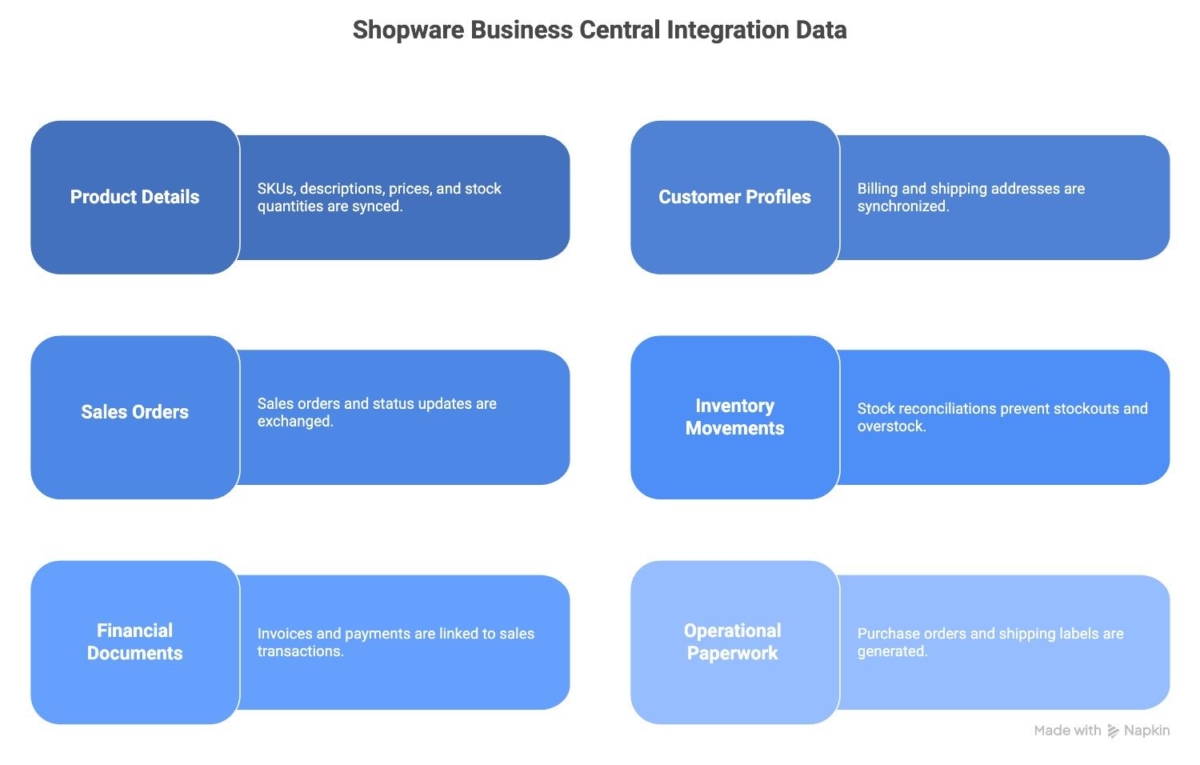
- Product details like SKUs, descriptions, prices, and stock quantities
- Customer profiles with billing and shipping addresses
- Sales orders and updates on order statuses through the fulfillment lifecycle
- Inventory movements and stock reconciliations to prevent stockouts or overstock
- Invoice, documents, and payments are directly added to sales transactions
- The system generates purchase orders, shipping labels, and other operational documents
This synchronization typically occurs in real-time or near real-time, keeping both systems up to date without requiring manual intervention.
How Shopware Business Central Integration Improves Operations
The integration boosts operational efficiency through:
- Accurate inventory tracking that prevents stockouts and reduces overstock costs
- Automated order processing that minimizes manual work and errors
- Streamlined financial workflows, improving invoicing, payments, and cash flow visibility
- Enhanced staff productivity by freeing them from repetitive admin tasks
How this Integration Enhances Customer Experience
Integrated Shopware and Business Central data enables:
- Real-time stock and pricing info, improving shopper trust and satisfaction
- Faster and error-free order fulfillment leading to increased repeat business
- Advanced sales and customer analytics for targeted marketing and better planning
- Personalized customer experiences based on accurate, unified data
Pro-Tip: Choose connectors or integration partners with proven Shopware and Business Central expertise
How Shopware BC Integration Works
This integration connects your Shopware store with Microsoft Dynamics 365 Business Central using APIs or middleware connectors. It automatically synchronizes data without manual intervention.
When a customer places an order in Shopware, the system instantly sends the order details to Business Central. At the same time, Business Central updates product information, inventory levels, and pricing in Shopware.
This process keeps data accurate and up to date across both platforms.
This integration typically follows a two-way data flow:
- Product and Inventory Sync
Business Central updates product details, stock levels, and pricing in Shopware. - Order and Customer Sync
Shopware sends orders and customer data directly to Business Central. - Financial Data Sync
Business Central manages invoices, payments, and financial records.
Depending on the setup, synchronization can happen in real-time or at scheduled intervals.
Shopware vs Shopware + Business Central (Comparison)
| Feature | Shopware (Alone) | Shopware + Business Central ERP |
| Inventory Management | Manual or basic | Automated, real-time multi-location tracking |
| Order Processing | Manual order updates | Automatic order sync and status updates |
| Financial Management | Separate accounting systems | Integrated invoicing and payment tracking |
| Data Accuracy | Prone to errors and delays | High accuracy with automated data flow |
| Business Insights | Basic reports | Advanced BI with Power BI integration |
| Scalability | Limited by manual processes | Scales with cloud ERP capabilities |
| Customer Experience | Static stock info, delayed updates | Real-time info, faster fulfillment |
Use Cases of Shopware Business Central Integration
Integration is valuable for businesses that need to manage complex operations efficiently. Here are some common use cases where this integration makes a significant impact:
1. Growing e-commerce businesses
As your business scales, managing orders, inventory, and customer data manually becomes inefficient. This would be the right time. Planning an integration of Shopware with Microsoft Dynamics 365 Business Central helps automate these processes, allowing businesses to handle higher order volumes with accuracy and speed.
2. Multi-Channel and Multi-Location Stores
Is your business selling across multiple channels or managing inventory across different warehouses? You benefit from real-time synchronization. This will help to manage accurate stock levels and consistent product data across all platforms.
3. B2B e-commerce operations
Are you a B2B business? Businesses often deal with bulk orders, custom pricing, and complex workflows. Shopware Business Central integration helps streamline order processing, manage customer-specific pricing, and maintain accurate financial records.
4. Businesses Focused on Financial Accuracy
This integration would work better for your company, which requires precise financial tracking. You can integrate Shopware with Business Central to check all the data.
5. Businesses Looking to Improve Customer Experience
With real-time data synchronization, customers get accurate product availability, pricing, and faster order fulfillment. This leads to improved customer satisfaction and repeat business.
Need help with Shopware Business Central integration? Let’s build it the right way.
Conclusion
Microsoft Dynamics 365 Business Central paired with Shopware creates a powerful, scalable platform for merchants ready to automate operations, improve accuracy, and gain data-driven insights. Expert integration ensures you unlock these benefits quickly and safely.
Ready to transform your Shopware store with Business Central ERP integration? Let our experts help you build a scalable and future-ready e-commerce solution tailored to your business needs.
FAQ
What is Shopware Business Central integration?
Shopware Business Central integration connects your Shopware e-commerce store with Microsoft Dynamics 365 Business Central, synchronizing sales, inventory, customer data, and finances automatically to streamline operations and improve accuracy.
Why should I integrate Business Central with my Shopware store?
Integrating Business Central with Shopware automates manual workflows, reduces errors, provides real-time data visibility, improves order fulfillment, and offers comprehensive business insights, helping your e-commerce business scale efficiently.
Can I integrate Business Central if I am using another ERP currently?
Yes, many businesses migrate from other ERPs to Business Central for its robust features and seamless Shopware integration. Expert migration services can ensure smooth data transition and minimize disruptions.
Table of contents
- What is Shopware-Business Central integration?
- Key Benefits of Shopware Business Central Integration
- What Data is Synced in Shopware Business Central Integration?
- How Shopware Business Central Integration Improves Operations
- How Shopware BC Integration Works
- Shopware vs Shopware + Business Central (Comparison)
- Use Cases of Shopware Business Central Integration
- Conclusion

Related Articles