
Greetings! I'm Aneesh Sreedharan, CEO of 2Hats Logic Solutions. At 2Hats Logic Solutions, we are dedicated to providing technical expertise and resolving your concerns in the world of technology. Our blog page serves as a resource where we share insights and experiences, offering valuable perspectives on your queries.
Quick Summary
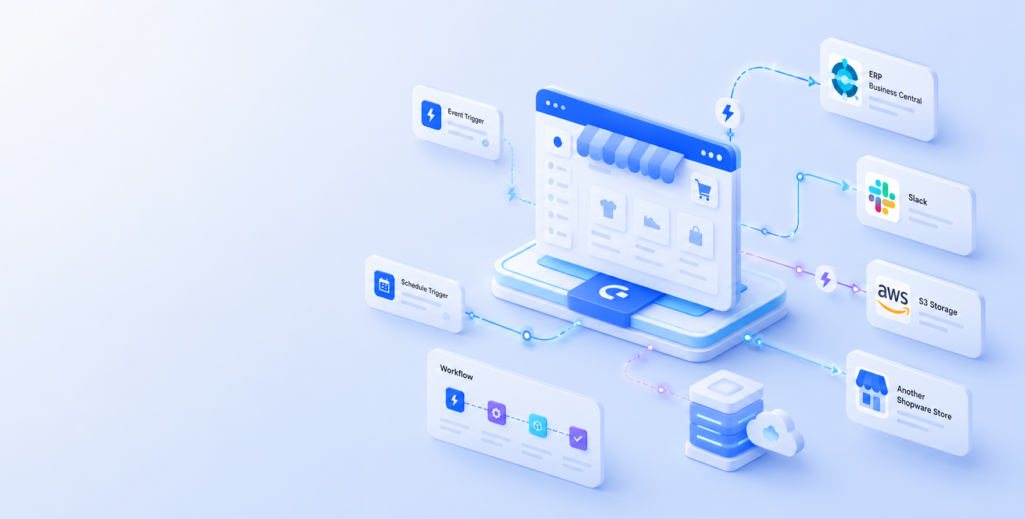
Shopware Nexus is Shopware’s native integration platform, currently in Early Access, that enables merchants, developers, and agencies to build event-driven workflows directly within the Shopware ecosystem. Built into Shopware, it provides deeper access to platform events and data for more seamless integrations than external middleware alone. Nexus supports workflow automation through reusable projects, event and scheduled triggers, company-based management, and integrations with services like Microsoft Dynamics Business Central, Slack, AWS S3, and Shopware-to-Shopware APIs. While still evolving, Nexus lays the foundation for more reliable and scalable automation within Shopware, with AI-assisted workflow features planned for the future.
Shopware has announced the Early Access launch of Nexus, its native integration platform (iPaaS) built directly into the Shopware ecosystem. Rather than relying on external middleware, point-to-point extensions, or custom-built integrations, Nexus enables merchants, developers, and agencies to build event-driven automations that are tightly integrated with Shopware itself.
The announcement addresses a common challenge raised by the Shopware community: integrations have often been a major cost driver for commerce projects. By bringing integration capabilities into the core platform, Shopware aims to simplify how businesses connect their systems and automate workflows.
Important Note: Shopware Nexus is currently in Early Access. The range of functions is limited and may expand in future updates. Behaviour and scope may change. Early Access does not include SLA guarantees or 24/7 support.
Why Nexus Is Different from Other Integration Tools
Most integration platforms treat Shopware as another endpoint, connecting through APIs and webhooks. Nexus takes a different approach. Built by Shopware for Shopware, it operates natively within the platform and has direct access to Shopware’s events and data structures that external middleware cannot access.
Instead of layering automation on top of Shopware, Nexus positions Shopware itself as the orchestration layer for commerce operations.
Shopware also emphasizes that Nexus is not intended to replace general-purpose automation platforms like n8n. While those platforms focus on connecting a broad range of applications across industries, Nexus focuses on providing deeper integration capabilities specifically for Shopware.
How Shopware Nexus Works
Nexus uses a visual workflow builder to create event-driven automations. Workflows are organized into projects, allowing businesses or agencies to separate different sets of automations.
Triggers currently come in two forms:
- Shopware event triggers that respond to events inside the Shopware store, such as order.placed
- Scheduled triggers that run workflows on a scheduled basis
Under the hood, Nexus runs on Apache Kafka, providing automatic retries and dead-letter queues when workflow executions fail. According to Shopware, this reliability is particularly important for business-critical integrations where failed executions should not go unnoticed.
Supported Integrations and Node Types
At launch, Nexus provides the following node types for building workflows:
Trigger Nodes
- Shopware Event Trigger: Reacts to shop events (e.g., order.placed)
- Schedule Trigger: Runs workflows on a schedule (Cron-style)
Action Nodes
- Microsoft Dynamics Business Central: CRUD operations on Business Central entities
- Shopware API Call: REST calls to Shopware endpoints
- Send Slack Message: Send notifications to Slack
- Send Shopware Email: Send emails from your Shopware shop
- API Request: Send API requests to external services
Condition Nodes
- If: Enables conditional branches in workflows
Output Nodes
- S3 Storage: Store data in S3 or S3-compatible storage
Control Nodes
- Delay: Adds a delay before continuing
Shopware also confirms that integrations for Pimcore and NetSuite are already in active development. Over time, the company expects the Shopware community marketplace to expand the available integrations further.
Portable Workflows and Multi-Tenant Management
Nexus introduces multi-company support through an organisation switcher, allowing developers to switch between companies, each with its own projects, integrations, and permissions. Shops for which you have enabled the Nexus Ingestion Service will appear in the selected company.
This enables teams to:
- Build a workflow once
- Export and import it into another environment
- Reuse node configurations and field mappings as templates
To improve security, exported workflows use unique integration IDs rather than transferring sensitive credentials such as API keys.
Reliability First: Rate Limiting, Observability, and Access Control
Shopware positions reliability as one of Nexus’s core priorities because integration platforms often support critical business operations.
The roadmap includes features such as:
- Rate-limiting nodes to control request volume (currently being built)
- Automated safety mechanisms that can reduce request volume when connected systems begin returning elevated server errors (planned/explored)
- Exporting monitoring data to third-party tools such as Grafana (roadmap)
- Role-based access control, including Admin, Builder, and Viewer roles per company
To address security concerns, Nexus currently includes a generic API request node but does not yet support inbound webhooks or custom code execution.
Getting Started with Shopware Nexus: Quick Integration Steps
To set up Nexus for your Shopware store, follow these steps:
Requirements
Before you begin, ensure you have:
- Shopware 6.7.1.0 or newer
- Administrator access to your shop
- An active Shopware account linked to an active company
Step 1: Enable the Nexus Ingestion Service
- In the Shopware Administration, navigate to Settings > Shopware Services
- Enable the Shopware Nexus Event-Ingestion Service toggle
Step 2: Link Your Shop to Nexus
- Open nexus.shopware.com and sign in with your Shopware account
- In the Shopware Administration, go to Settings > Nexus
- Click the linking button to start the connection process
- Use the organisation switcher in Nexus to select the correct company
Step 3: Authenticate Your Integrations
- Go to Integrations in the top bar
- Click the service you want to connect (e.g., Slack or Microsoft Dynamics Business Central)
- Follow the authentication process to grant Nexus access
Step 4: Create Your First Workflow
- Click Create workflow and enter a name
- Drag the Shopware Event Trigger onto the canvas and select your shop and event (e.g., order.placed)
- Add an action node (e.g., Send Slack Message or Microsoft Dynamics Business Central)
- Connect the trigger to the action, configure parameters, then Save, Publish, and Start
What’s Coming Next: AI-Assisted Workflows
Shopware’s roadmap includes several AI-powered capabilities designed to make workflow creation easier over time.
Planned features include:
- AI-assisted data mapping through Shopware Copilot
- Natural-language workflow creation
- Automatic logical mappings between systems, such as Microsoft Dynamics and Shopware
Shopware also plans to continue gathering feedback from the community as Nexus evolves.
Availability
To get started with Nexus, you need:
- Shopware 6.7.1.0 or newer
- Nexus is enabled from the Shopware admin panel
- A linked Shopware account to access Nexus
- Access the platform at: nexus.shopware.com
Once connected, you can sign in and begin building workflows.
What This Means for Merchants
For merchants already using Shopware, Nexus introduces a native approach to building integrations and automating workflows within the platform. Businesses evaluating new integration strategies may find it useful as an alternative to relying on multiple middleware solutions or custom-built integrations.
Note: As Nexus is in Early Access, merchants should evaluate it for non-critical workflows initially, as it does not yet include SLA guarantees or 24/7 support.
What This Means for Agencies and Developers
For agencies and development teams working with Shopware, Nexus introduces features that can simplify managing integrations across multiple client environments.
Capabilities such as workflow portability, reusable templates, and multi-company management can help standardize implementation approaches and make it easier to reuse workflows where appropriate.
How 2Hats Logic Can Help
At 2Hats Logic, we help businesses design, implement, and optimize Shopware integrations that align with their operational requirements. Whether you’re planning your first Shopware integration or evaluating how Nexus fits into your existing architecture, our team can help you build a practical integration strategy.
Our expertise includes:
- Shopware Nexus strategy and architecture
- ERP integration planning
- Workflow automation design and implementation
- Migration planning from legacy integration approaches
If you’re exploring Shopware Nexus, we can help you evaluate where it fits into your integration landscape and how to implement it effectively.
Conclusion
Shopware Nexus marks an important step in bringing integration capabilities directly into the Shopware platform. By providing native, event-driven workflows, reusable workflow management, and a growing ecosystem of integrations, Nexus offers a new approach to connecting business systems within Shopware.
As the platform continues to evolve with AI-assisted workflow creation and additional integrations, merchants, developers, and agencies can begin evaluating how it fits into their long-term commerce strategy. Keep in mind that Nexus is currently in Early Access, with full General Availability and additional features planned for future releases.
FAQ
What is Shopware Nexus?
Shopware Nexus is Shopware’s native integration platform for building event-driven workflows and automations directly within the Shopware ecosystem.
Is Shopware Nexus available to all users?
No. Shopware Nexus is currently in Early Access, so the feature set is limited and may change as the platform evolves.
What can you automate with Shopware Nexus?
You can automate tasks triggered by Shopware events or scheduled workflows, and connect Shopware with external systems such as ERP, CRM, Slack, and S3-based storage.
Which integrations are available in Nexus?
At launch, Nexus supports Microsoft Dynamics Business Central, Slack, AWS S3, and Shopware-to-Shopware API integration.
Does Nexus replace middleware tools?
Not necessarily. Nexus is designed for deeper, native integration within Shopware, while general-purpose middleware tools may still be useful for broader cross-platform automation.
Can workflows be reused across environments?
Yes. Nexus supports workflow portability, reusable configurations, and company-based management, which makes it easier to reuse workflows across setups.
Does Nexus support custom code or inbound webhooks?
No. Nexus currently does not support inbound webhooks or custom code execution.
Table of contents
- Why Nexus Is Different from Other Integration Tools
- How Shopware Nexus Works
- Supported Integrations and Node Types
- Portable Workflows and Multi-Tenant Management
- Reliability First: Rate Limiting, Observability, and Access Control
- Getting Started with Shopware Nexus: Quick Integration Steps
- What's Coming Next: AI-Assisted Workflows
- Availability
- How 2Hats Logic Can Help
- Conclusion

Related Articles