Greetings! I'm Aneesh Sreedharan, CEO of 2Hats Logic Solutions. At 2Hats Logic Solutions, we are dedicated to providing technical expertise and resolving your concerns in the world of technology. Our blog page serves as a resource where we share insights and experiences, offering valuable perspectives on your queries.
What Is Shopware Analytics?
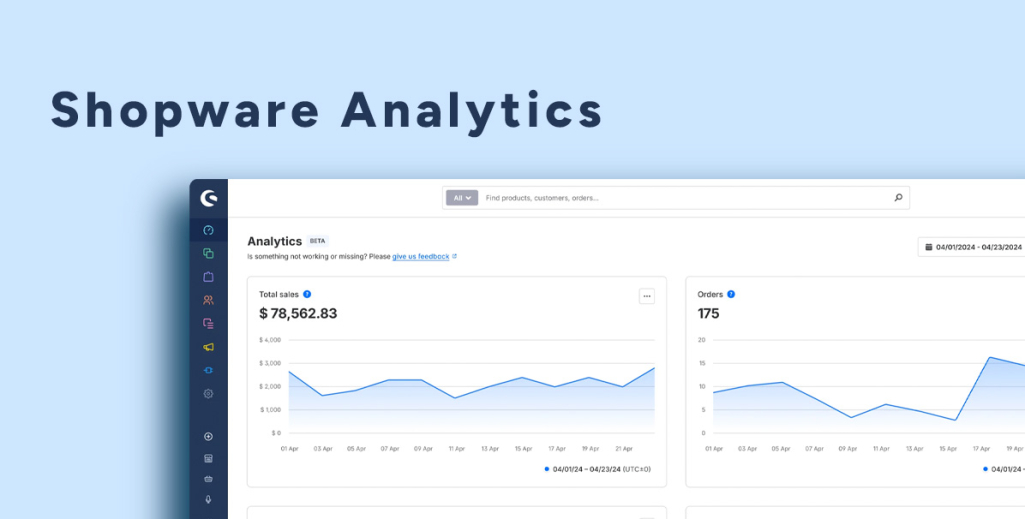
Shopware Analytics is a Shopware 6 analytics extension that provides merchants with valuable insights into sales performance, customer growth, revenue trends, and other key business metrics. This allows store owners to track key performance indicators (KPIs) such as sales, revenue, customer growth, conversion rates, and order trends directly from the Shopware administration panel.
You no longer have to rely entirely on external reporting tools. Shopware Analytics provides a unified view of store performance, helping businesses make data-driven decisions based on real-time information.
Key Benefits of Shopware Analytics
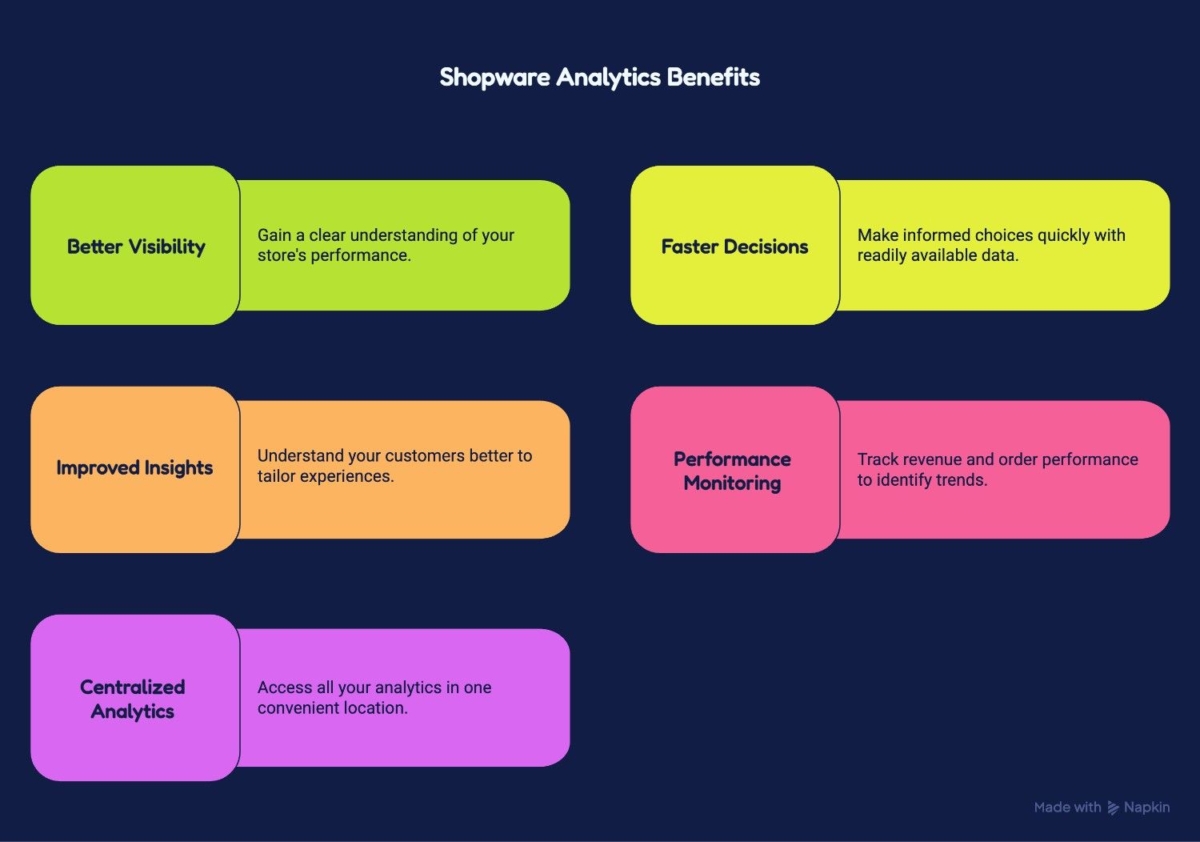
Shopware Analytics helps merchants move beyond basic reporting by providing centralized access to important business insights. Instead of collecting data from multiple tools, store owners can monitor performance directly within the Shopware administration panel and make faster, data-driven decisions.
Some of the key benefits include:
Better Visibility Into Store Performance
Shopware Analytics provides a clear overview of key business metrics, including sales, revenue, customer growth, and order activity. This helps merchants understand how their store is performing over time.
Faster Data-Driven Decision Making
Access to real-time analytics allows businesses to identify trends, monitor performance changes, and respond quickly to new opportunities or challenges.
Improved Customer Insights
Tracking customer acquisition and growth helps merchants better understand purchasing behavior and evaluate the effectiveness of marketing and retention strategies.
Revenue and Order Performance Monitoring
Metrics such as total sales, order volume, and average order value help businesses evaluate revenue performance and identify areas for optimization.
Centralized Analytics Within Shopware
Instead of relying entirely on external reporting platforms, merchants can access important business insights directly from their Shopware dashboard, simplifying day-to-day store management.
Need better visibility into your store performance?
Key Metrics Available in Shopware Analytics
Shopware Analytics provides access to a range of key performance indicators (KPIs) that help merchants monitor store performance, evaluate business growth, and make informed decisions. These metrics offer valuable insights into sales trends, customer behavior, and overall store activity.
Total Sales
Total Sales shows the overall revenue generated by your store during a selected period. Monitoring this metric helps merchants evaluate business growth and measure the impact of marketing campaigns, promotions, and seasonal trends.
Order Volume
Order Volume tracks the total number of orders placed within a specific timeframe. This metric helps identify purchasing trends and provides a clearer picture of store activity beyond revenue alone.
Average Order Value (AOV)
Average Order Value measures the average amount customers spend per order. Tracking AOV can help merchants assess the effectiveness of upselling, cross-selling, and promotional strategies designed to increase revenue.
Revenue Trends
Revenue trends provide visibility into how sales performance changes over time. By analyzing these trends, businesses can identify peak sales periods, seasonal patterns, and areas that may require attention.
Customer Growth
Customer Growth tracks the increase in your customer base over a selected period. This metric helps merchants evaluate acquisition efforts and understand whether their store is attracting new customers consistently.
New Customer Acquisition
This metric focuses specifically on first-time customers. Monitoring new customer acquisition helps businesses assess the effectiveness of marketing campaigns and identify opportunities to expand their audience.
Payment Method Insights
Understanding which payment methods customers prefer can help merchants optimize the checkout experience and make informed decisions about payment options offered in the store.
Conversion-Related Insights
Conversion-related metrics help merchants understand how effectively visitors are turning into customers. These insights can support improvements to the customer journey, product pages, and checkout process.
Key Features of Shopware Analytics
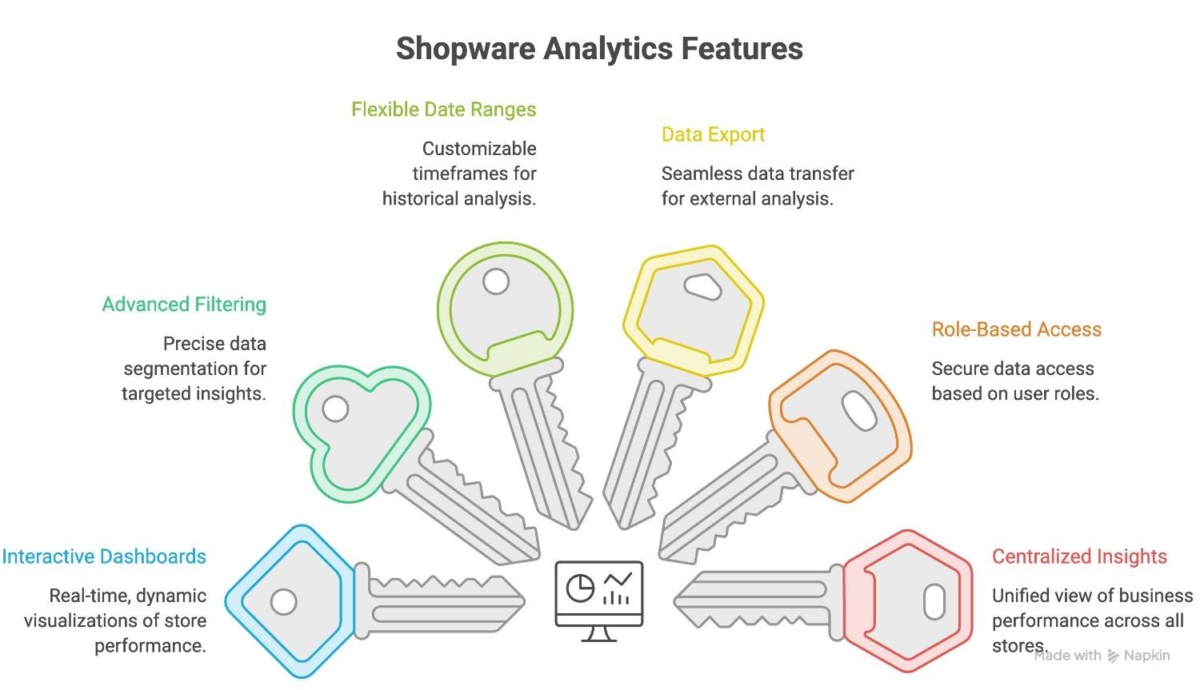
Shopware Analytics provides merchants with a centralized view of important business data, helping them monitor performance, identify trends, and make data-driven decisions. The extension combines multiple reporting capabilities within the Shopware administration panel, reducing the need to switch between different analytics tools.
Interactive Analytics Dashboards
Shopware Analytics presents key business metrics through intuitive dashboards that make complex data easier to understand. Merchants can quickly access performance indicators and gain a clear overview of store activity without manually compiling reports.
Advanced Filtering Options
Analytics data can be filtered using different criteria, allowing businesses to analyze performance from multiple perspectives. Filters help merchants evaluate specific sales channels, customer groups, regions, or time periods to gain more targeted insights.
Flexible Date Range Selection
Users can customize reporting periods to analyze performance across different timeframes. This makes it easier to compare results, identify seasonal trends, and evaluate the impact of marketing campaigns or business changes.
Data Export Capabilities
Shopware Analytics allows merchants to export data for further analysis and reporting. Exported reports can be used for business reviews, stakeholder presentations, financial analysis, and integration with external reporting workflows.
Role-Based Access Control
The extension integrates with Shopware’s user and permission management system, allowing businesses to control access to analytics dashboards and sensitive performance data. This helps ensure that information is only available to authorized users.
Centralized Business Insights
Instead of gathering information from multiple systems, merchants can access key performance indicators from a single location within the Shopware administration panel. This simplifies reporting and improves decision-making efficiency.
How to Access and Use Shopware Analytics
You can access Shopware Analytics as a plugin in the Shopware Store. It is available as a plugin in the store. You can download and add it to your store for versions above.
Install the Shopware Analytics Extension
The first step is to install the Shopware Analytics extension and ensure it is activated within your Shopware environment. After installation, the Analytics section becomes available in the administration area.
Configure Data Processing Preferences
When accessing Shopware Analytics for the first time, merchants may be required to review and accept data processing settings. This enables the platform to collect and process the information necessary for generating analytics reports and performance insights.
Explore Analytics Dashboards
The analytics dashboard provides access to various KPIs and performance reports. Merchants can monitor important metrics such as sales performance, order trends, customer growth, and revenue insights from a centralized location.
Apply Filters and Date Ranges
To gain more targeted insights, users can filter analytics data based on criteria such as time periods, customer groups, countries, or sales channels. This makes it easier to analyze specific segments of the business and evaluate performance across different areas.
Export Reports for Further Analysis
Analytics data can be exported for additional reporting and business analysis. Exported reports can be used to support internal reviews, performance presentations, and strategic planning activities.
Who Should Use Shopware Analytics?
Shopware Analytics is designed for businesses that want greater visibility into store performance and customer behavior. By providing centralized access to key business metrics, the extension helps different teams make more informed decisions and identify growth opportunities.
Store Owners
Store owners can use Shopware Analytics to monitor overall business performance, track revenue trends, and evaluate store growth over time. Having access to important KPIs in one place makes it easier to make strategic decisions based on real data.
E-commerce Managers
eCommerce managers can use analytics insights to track order activity, monitor sales performance, and identify operational trends. This helps support day-to-day store management and performance optimization efforts.
Marketing Teams
Marketing teams can analyze customer growth, acquisition trends, and sales performance to better understand the effectiveness of campaigns and promotional activities. These insights can help guide future marketing decisions.
Operations and Sales Teams
Analytics dashboards provide visibility into order volumes, purchasing trends, and customer activity. This information can support planning, resource allocation, and operational improvements.
Growing Businesses
As online stores expand, managing larger volumes of products, customers, and orders becomes increasingly complex. Shopware Analytics helps growing businesses maintain visibility into performance and identify areas that require attention as they scale.
By making business data more accessible, Shopware Analytics helps different teams collaborate more effectively and make data-driven decisions that support long-term growth.
Common Use Cases for Shopware Analytics
Analytics data becomes most valuable when it helps businesses make better decisions. Shopware Analytics enables merchants to move beyond basic reporting by providing insights that can support sales growth, marketing optimization, and operational improvements.
Monitoring Sales Performance
One of the most common uses of Shopware Analytics is tracking sales performance over time. Merchants can analyze revenue trends, order volumes, and average order values to understand how the business is performing and identify opportunities for improvement.
Evaluating Marketing Effectiveness
Marketing teams can use analytics insights to assess the impact of campaigns, promotions, and customer acquisition efforts. Tracking customer growth and purchasing trends helps businesses understand which activities contribute most to revenue generation.
Understanding Customer Behavior
Analytics data can help merchants identify purchasing patterns, monitor customer growth, and better understand how customers interact with the store. These insights can support customer retention and engagement strategies.
Identifying Seasonal and Market Trends
By comparing performance across different periods, businesses can identify seasonal trends, peak sales periods, and changing customer demand. This information can support inventory planning, promotional strategies, and resource allocation.
Improving Business Decision-Making
Access to centralized business insights allows merchants to make decisions based on real performance data rather than assumptions. Whether evaluating product performance or tracking store growth, analytics helps businesses respond more effectively to changing conditions.
Supporting Long-Term Store Growth
As stores expand, analytics become increasingly important for measuring progress and identifying new opportunities. Consistent performance monitoring helps businesses scale operations while maintaining visibility into key business metrics.
Want to turn analytics into action?
Let’s discuss how custom Shopware solutions, reporting, and integrations can help you make smarter business decisions.
Conclusion
Shopware Analytics provides valuable insights into sales performance, customer growth, and overall store activity, helping merchants make more informed business decisions. While analytics is a powerful tool for understanding store performance, it is just one part of what makes Shopware a flexible e-commerce platform. For a deeper look at the platform’s features, architecture, and capabilities, explore a complete overview of Shopware 6.
FAQ
How does Shopware Analytics help improve store performance?
Shopware Analytics helps merchants identify sales trends, monitor customer growth, track revenue performance, and evaluate business activities more effectively. By providing access to real-time business insights, it supports faster and more informed decision-making.
Is Shopware Analytics available for all Shopware stores?
Shopware Analytics is available as an official Shopware extension. Availability may depend on the Shopware edition and version being used, so merchants should verify current requirements before installation.
What is the difference between Shopware Analytics and external analytics tools?
Shopware Analytics focuses on providing store performance insights directly within the Shopware administration panel. While external analytics platforms may offer broader website or marketing analysis, Shopware Analytics centralizes important eCommerce metrics within the Shopware ecosystem.
Table of contents

Related Articles