Greetings! I'm Aneesh Sreedharan, CEO of 2Hats Logic Solutions. At 2Hats Logic Solutions, we are dedicated to providing technical expertise and resolving your concerns in the world of technology. Our blog page serves as a resource where we share insights and experiences, offering valuable perspectives on your queries.

Many B2B businesses still receive customer orders through email. These orders often arrive as PDFs, Excel files, scanned documents, or even photos taken on a phone. On their own, these may not seem like a problem. However, when multiple customers place multiple orders daily, handling them manually becomes increasingly difficult.
Teams must open emails, download attachments, verify product names, check quantities, and then enter all information into their ERP or order management system. This process is time-consuming and prone to errors. Missed orders, duplicate entries, and inventory mismatches are common, especially during peak periods.
The challenge is not receiving orders by email. It’s processing multiple customer orders received through email accurately and on time. As order volume grows, manual workflows struggle to keep up. This can start affecting both operations and customer experience.
In this blog, we’ll look at the common challenges of handling multiple email orders and explain how businesses can process them in a more structured and scalable way without changing how customers place their orders.
Struggling to manage multiple email orders?
What Does It Mean to Process Multiple Customer Orders Received Through Email?
Processing multiple customer orders received through email means handling several orders sent by customers via email. And often at the same time and in different formats, and converting them into confirmed, system-ready orders.
In real-world B2B scenarios, this usually includes:
- Orders sent as PDF attachments
- Excel or CSV files with product lists
- Scanned purchase orders or fax documents
- Photos of handwritten or printed order sheets
- Multiple orders combined in a single email thread
Each order must be:
- Read and understood correctly
- Converted into standardized product and quantity data
- Checked against inventory availability
- Entered into the ERP or order management system
What Problems Arise When Handling Multiple Email Orders Manually?
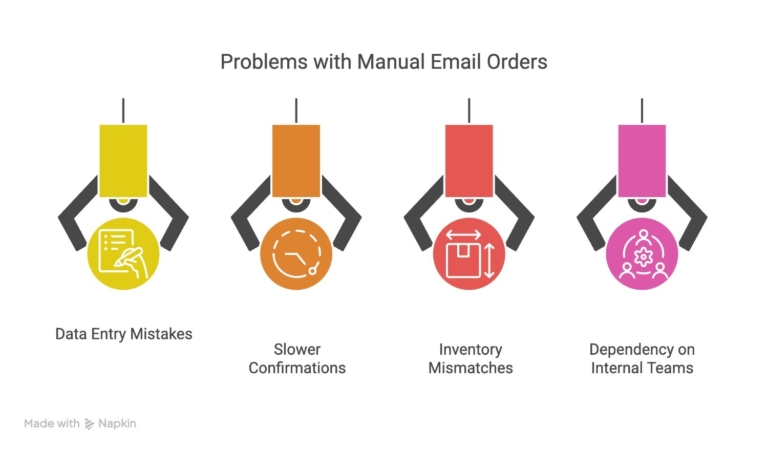
When customer orders arrive through multiple emails, PDFs, or attachments, manual processing quickly becomes a bottleneck. What starts as a manageable task often turns into a source of errors and delays.
One of the most common issues is manual data entry mistakes. Order details are copied from emails into spreadsheets, ERP systems, or eCommerce platforms, increasing the risk of wrong quantities, incorrect SKUs, or missed line items.
Another major challenge is missed or duplicate orders. With several emails coming in from the same customer, sometimes spread across different threads, orders can be overlooked or entered twice, especially during busy periods.
Manual processing also leads to slower order confirmations. Sales and operations teams need extra time to review, verify, and recheck order details before responding to customers, which affects delivery timelines and trust.
Inventory mismatches are another frequent problem. Without real-time validation, teams may accept orders for out-of-stock items, leading to back-and-forth communication and fulfillment delays.
Finally, handling multiple email orders manually creates a heavy dependency on internal teams. Knowledge stays with individuals rather than systems, making the process fragile and difficult to scale as order volume grows.
If email orders are slowing your operations, our team can help design a workflow that reduces manual work and errors.
How Do Multiple Email Orders Impact Operations and Customer Experience?
When multiple customer orders arrive through email, the impact is felt on two fronts: internal operations and the customer experience. While both are connected, the problems show up differently on each side.
Impact on Operations
What internal teams struggle with daily
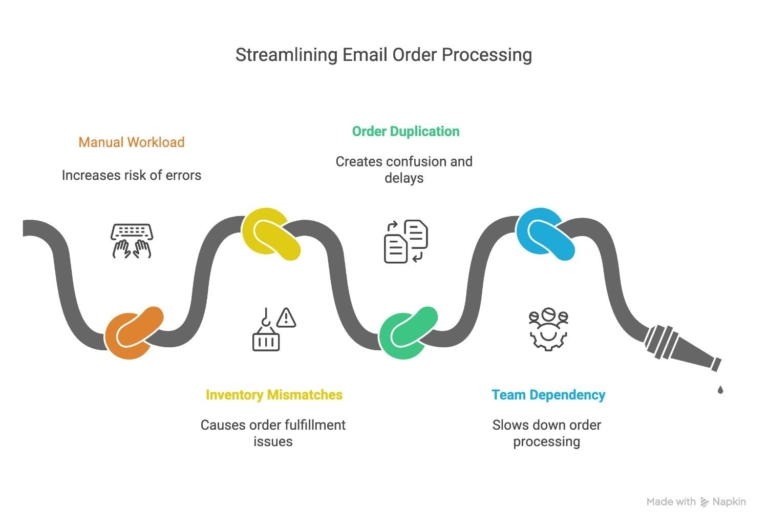
- Manual workload increases
Teams spend hours opening emails, downloading attachments, and entering order data manually. - Higher risk of errors
Wrong quantities, incorrect SKUs, or missing line items become common when handling multiple orders at once. - Order duplication or missed orders
Multiple emails from the same customer can easily lead to duplicate entries, or worse, missed orders. - Inventory mismatches
Delayed order entry results in outdated stock levels across ERP and inventory systems. - Dependency on specific team members
Order processing knowledge often sits with a few people, creating bottlenecks and risks during absences.
Impact on Customer Experience
What customers start noticing
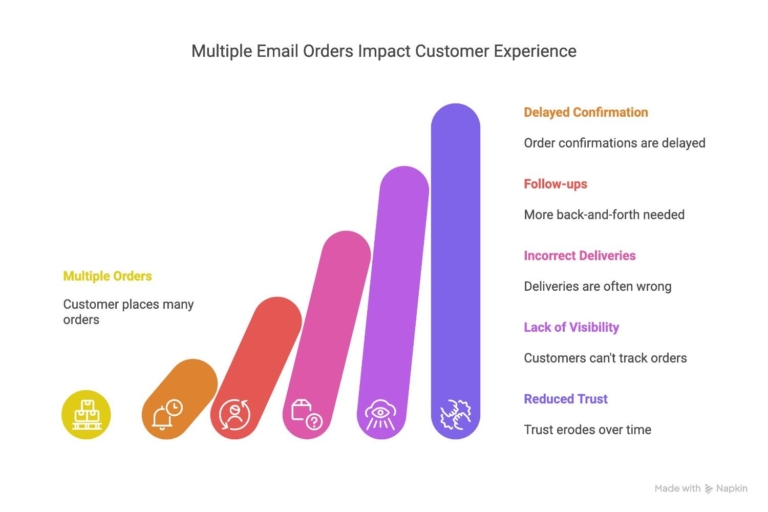
- Delayed order confirmations
Customers wait longer to know if their order was received and accepted. - More follow-ups and back-and-forth
Customers need to resend details or clarify missing information. - Incorrect deliveries
Errors in manual processing can lead to wrong products or quantities being shipped. - Lack of visibility
Customers have limited insight into order status until processing is completed manually. - Reduced trust over time
Repeated delays or mistakes can affect long-term customer relationships.
How Are Businesses Traditionally Processing Email Orders Today?
Many B2B companies still rely on manual methods to handle email orders, which can slow operations and increase errors. Common approaches include:
- Monitoring inboxes manually: Staff regularly check emails to identify new orders.
- Copy-pasting data into ERP or eCommerce systems: Each order must be entered by hand, which is time-consuming.
- Using spreadsheets as a temporary fix: Orders are often tracked in Excel before being processed, leading to version control issues.
While these methods may work for low volumes, they struggle to scale as the number of orders grows. Errors, duplicate entries, and delayed confirmations are common challenges, highlighting the need for a more automated approach.
How Can You Process Multiple Customer Orders Received Through Email Automatically?
Automating email order processing can save time, reduce errors, and scale operations without changing how your customers place orders. Key steps include:
- Centralized email intake: All incoming orders, whether emails, PDFs, Excel sheets, or scanned documents, are collected in one system.
- Data extraction and standardization: Tools automatically extract order details and standardize product names and SKUs for consistency.
- Order validation: The system checks quantities, stock availability, and customer details before creating orders in your ERP or eCommerce platform.
- Automatic order creation: Validated orders are automatically entered into your system, ready for fulfillment without manual intervention.
By following these steps, businesses can handle higher volumes of orders accurately, freeing up staff to focus on more strategic tasks while keeping customers satisfied.
How Does Automated Email Order Processing Connect with ERP and Inventory?
Automation doesn’t stop at capturing orders. It works best when connected directly to your ERP and inventory systems. This integration ensures smooth operations and accurate customer service. Key points include:
- Real-time order creation in ERP: Orders extracted from emails are automatically added to your ERP system, eliminating manual entry.
- Inventory checks: The system verifies stock levels before confirming orders, preventing overselling.
- Automatic order confirmations: Customers receive instant updates, improving transparency and trust.
- Reduced back-office workload: Staff no longer need to spend hours reconciling orders and inventory, freeing them for higher-value tasks.
What Are the Benefits of Automating Multiple Customer Orders from Email?
Automating email order processing delivers tangible benefits for both operations teams and customer experience. Key advantages include:
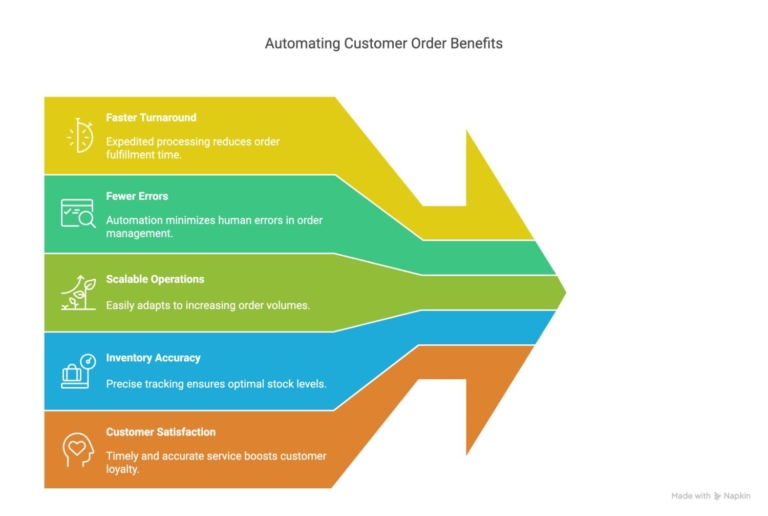
- Faster order turnaround: Orders move from email to the system instantly, reducing delays.
- Fewer errors: Automatic data extraction minimizes mistakes from manual entry.
- Scalable operations: Processes can handle increasing order volumes without adding staff.
- Improved inventory accuracy: Real-time ERP integration ensures stock levels are always up to date.
- Enhanced customer satisfaction: Faster confirmations and accurate order fulfillment keep clients happy.
When Should a Business Automate Email Order Processing?
Knowing when to automate is crucial for maximizing efficiency without overcomplicating your workflow. Signs that it’s time to implement automation include:
- High order volume: When your team spends hours daily handling emails, PDFs, or spreadsheets.
- Frequent errors: Duplicate entries, missed orders, or incorrect stock levels indicate manual processes are failing.
- Seasonal spikes or growth: During peak periods, manual processing can’t keep up with demand.
- Team dependency issues: If order processing depends heavily on a few staff members, it creates bottlenecks.
- Integration gaps: When your ERP or inventory system isn’t updated in real time, leading to miscommunication with customers.
When Should a Business Automate Email Order Processing?
Knowing when to automate is crucial for maximizing efficiency without overcomplicating your workflow. Signs that it’s time to implement automation include:
- High order volume: When your team spends hours daily handling emails, PDFs, or spreadsheets.
- Frequent errors: Duplicate entries, missed orders, or incorrect stock levels indicate manual processes are failing.
- Seasonal spikes or growth: During peak periods, manual processing can’t keep up with demand.
- Team dependency issues: If order processing depends heavily on a few staff members, it creates bottlenecks.
- Integration gaps: When your ERP or inventory system isn’t updated in real time, leading to miscommunication with customers.
How to Get Started with Processing Multiple Email Orders the Right Way
Turning email orders into a reliable, scalable process doesn’t have to be complicated. Follow these steps to get started:
- Assess your current process: Identify how orders arrive, which formats are used (emails, PDFs, Excel, images), and the time your team spends processing them.
- Identify ERP and system touchpoints: Determine where orders enter your ERP or eCommerce platform and any gaps that slow down processing.
- Start with partial automation: Automate the most repetitive and error-prone tasks first, such as data extraction and order validation.
- Standardize product names and SKUs: Ensure consistent product identification to reduce mismatches during order entry.
- Scale gradually: Once basic automation works reliably, expand to handle all orders automatically, including complex formats.
- Monitor and optimize: Track order accuracy, processing time, and customer satisfaction, adjusting workflows as needed.
Ready to Get Started?
Get in touch with our experts and let's discuss your project.
Conclusion
Receiving multiple customer orders via email can be time-consuming, error-prone, and stressful for operations teams. Traditional manual processes struggle to keep up as order volumes grow, leading to delays, mistakes, and frustrated customers. Automating email order processing and integrating it with your ERP and inventory systems transforms this challenge into a streamlined workflow. Businesses can handle higher volumes accurately, reduce manual effort, and respond to customers faster, all while building a process that scales with growth.
We’ve helped businesses implement these solutions to simplify order management and improve operational efficiency. If your team is struggling with multiple email orders, our experts can help design and implement a solution tailored to your business needs.
FAQ
How can I automate multiple customer orders received through email?
Use an email order automation system that extracts order details from emails, PDFs, and Excel files, then automatically enters them into your ERP or inventory system.
What are the benefits of processing email orders automatically?
Automating email orders reduces manual errors, speeds up processing, improves inventory accuracy, and allows your team to focus on strategic tasks.
Can automated email order processing handle different file formats like PDFs or images?
Yes, modern automation tools can extract order data from emails, PDFs, Excel sheets, and scanned images, standardizing it for seamless ERP integration.
When should my business consider automating email order management?
If order volumes are high, errors are frequent, or your team spends hours manually processing orders, it’s time to implement an automated email-to-ERP workflow.
Table of contents
- What Does It Mean to Process Multiple Customer Orders Received Through Email?
- What Problems Arise When Handling Multiple Email Orders Manually?
- How Do Multiple Email Orders Impact Operations and Customer Experience?
- How Can You Process Multiple Customer Orders Received Through Email Automatically?
- What Are the Benefits of Automating Multiple Customer Orders from Email?
- When Should a Business Automate Email Order Processing?
- How to Get Started with Processing Multiple Email Orders the Right Way
- Conclusion


Related Articles