Greetings! I'm Aneesh Sreedharan, CEO of 2Hats Logic Solutions. At 2Hats Logic Solutions, we are dedicated to providing technical expertise and resolving your concerns in the world of technology. Our blog page serves as a resource where we share insights and experiences, offering valuable perspectives on your queries.

When Shopware uses Redis Streams as the transport for Symfony Messenger, queue processing is generally reliable and scalable. However, some installations may encounter errors similar to the following:
| 1 | Could not acknowledge redis message |
This error often appears when multiple Messenger workers are processing the same queue. Since the message suggests a Redis problem, troubleshooting typically begins with Redis connectivity, memory usage, or server health.
In many cases, however, the underlying issue is related to Messenger consumer configuration rather than Redis itself.
Understanding How Shopware Uses Redis Streams
Shopware relies on Symfony Messenger for asynchronous task processing. When Redis Streams is configured as the transport, messages are
- Written to a Redis stream.
- Assigned to a consumer group.
- Delivered to individual consumers within that group.
- Acknowledged after successful processing.
Redis uses consumer names to track which worker owns a message and whether that message has been successfully acknowledged.
For this mechanism to work correctly, each worker must have a unique consumer identity.
Common Symptoms
Administrators may notice one or more of the following:
- Queue workers are stopping unexpectedly
- Failed message acknowledgements
- Growing pending message counts
- Intermittent Messenger errors
- Messages are being retried unnecessarily
- Log entries containing:
| 1 | Could not acknowledge redis message |
The issue often becomes more visible after increasing the number of queue workers.
Why the Error Occurs
A common cause is multiple Messenger workers sharing the same Redis consumer name.
For example, a Supervisor configuration may start several worker processes:
| 1 2 3 | [program:shopware-messenger] command=php bin/console messenger:consume async numprocs=4 |
Although four workers are running, they may all connect to Redis using the same consumer identity.
When this happens:
- Multiple workers compete for ownership of messages.
- Redis cannot reliably track which worker should acknowledge a message.
- A worker may attempt to acknowledge a message owned by another worker.
- Redis rejects the acknowledgement request.
- Shopware logs a “Could not acknowledge redis message” error.
The Correct Configuration
Each Messenger worker should use a unique consumer name.
When using Supervisor, a unique identifier can be generated from the process number:
| 1 2 3 4 5 6 7 8 9 | [program:shopware-messenger] command=php /var/www/html/bin/console messenger:consume async --time-limit=3600 process_name=%(program_name)s_%(process_num)02d numprocs=4 environment=MESSENGER_CONSUMER_NAME=consumer_%(process_num)s autostart=true autorestart=true |
Messenger can then use the environment variable as the consumer name:
| 1 2 3 4 5 6 7 | framework: messenger: transports: async: dsn: '%env(MESSENGER_TRANSPORT_DSN)%' options: consumer: '%env(MESSENGER_CONSUMER_NAME)%' |
This creates separate consumers, such as:
| 1 2 3 4 | consumer_0 consumer_1 consumer_2 consumer_3 |
Each worker now has clear ownership of the messages it processes.
For more related articles:
- How to Connect Redis via Socket in Shopware 6
- How to Configure Redis Cache in Shopware 6?
Verifying the Fix
After assigning unique consumer names:
- Message acknowledgements are complete successfully.
- Pending messages are processed normally.
- Queue throughput improves when scaling workers.
- Messenger workers operate independently without ownership conflicts.
- “Could not acknowledge redis message” errors disappear.
Monitoring Redis Streams and Messenger logs should confirm normal queue operation.
Best Practices for Shopware Messenger and Redis
To avoid consumer-related issues:
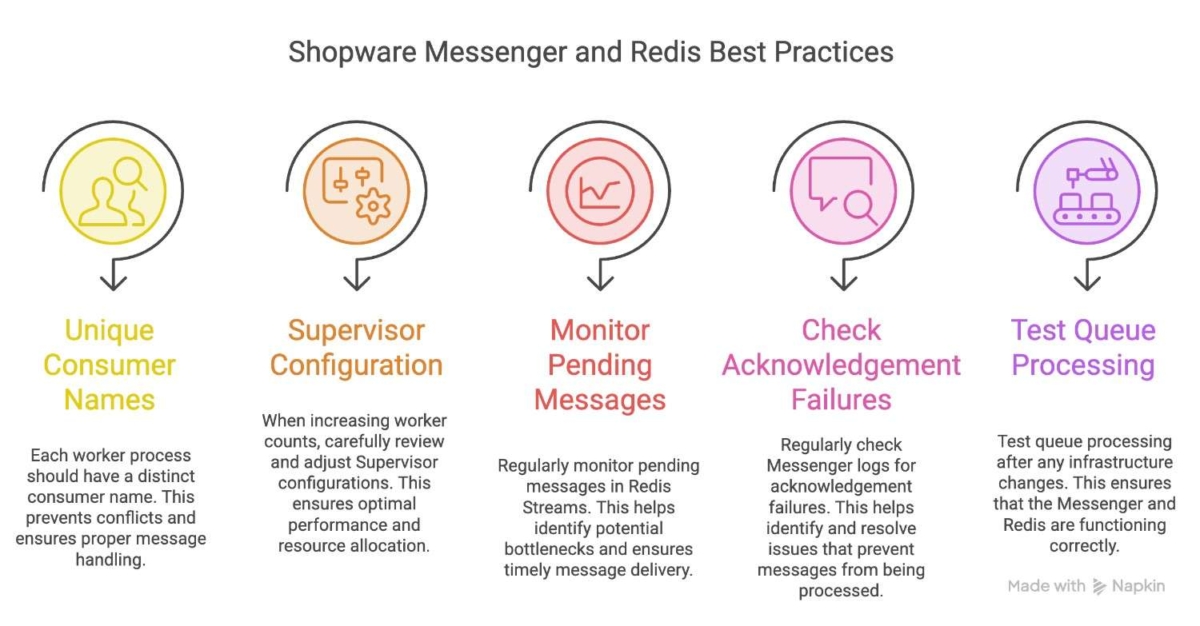
- Use a unique consumer name for every worker process.
- Review Supervisor configurations whenever worker counts are increased.
- Monitor pending messages in Redis Streams.
- Regularly check Messenger logs for acknowledgement failures.
- Test queue processing after infrastructure changes.
These practices help ensure reliable asynchronous processing in Shopware environments using Redis Streams.
Conclusion
The “Could not acknowledge redis message” error is frequently associated with Redis Streams consumer management rather than Redis server failures. When multiple Messenger workers share the same consumer identity, message ownership conflicts can prevent successful acknowledgements.
Assigning a unique consumer name to every worker ensures that Redis can correctly track message ownership and allows Shopware’s queue system to operate reliably at scale.
Managing Redis, Symfony Messenger, and other infrastructure components is essential for reliable Shopware performance. If your team needs support with Shopware maintenance, performance optimization, or technical troubleshooting, our Shopware experts can help identify and resolve complex issues.
If you need help with Shopware Redis, Messenger, or queue issues, our team can support you with debugging and performance optimization for your Shopware setup.

Related Articles