Greetings! I'm Aneesh Sreedharan, CEO of 2Hats Logic Solutions. At 2Hats Logic Solutions, we are dedicated to providing technical expertise and resolving your concerns in the world of technology. Our blog page serves as a resource where we share insights and experiences, offering valuable perspectives on your queries.

If you’re still processing customer orders through email inboxes, you’re not alone, but you’re likely drowning in spreadsheets, sticky notes, and costly mistakes. Manual email order processing might have worked when you handled 20 orders per week, but as your e-commerce business scales to 200 or 2,000 orders, the cracks in this system become gaping holes.
The surge in online shopping has transformed order volumes from manageable to overwhelming. What once took an hour now consumes entire workdays. Data entry errors multiply. Customers wait longer. Inventory counts become guesswork. And your team burns out trying to keep pace.
Here’s the good news: Enterprise Resource Planning (ERP) systems offer a scalable, automated solution that transforms chaotic email order management into streamlined, error-free workflows. This comprehensive guide examines the most common problems plaguing manual email order processing and demonstrates exactly how ERP automation eliminates them, permanently.
Core Problems in Manual Email Orders
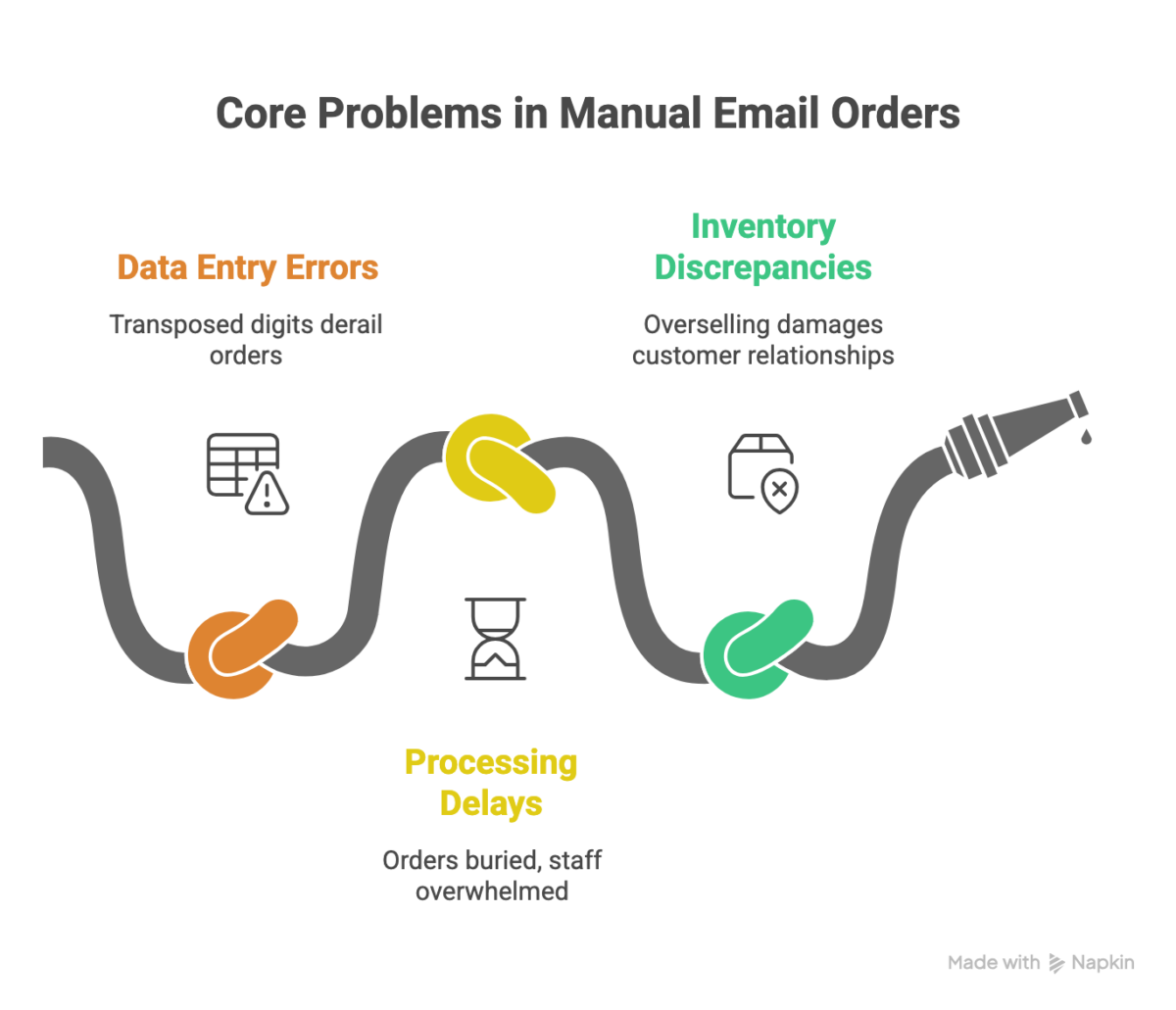
1. Data Entry Errors and Duplicates
Every time someone manually transfers order information from an email to your system, they introduce opportunities for error. A transposed digit in a product code, a misread quantity, or an incorrectly copied shipping address can derail an entire order.
Common data entry errors:
- Incorrect product SKUs or quantities
- Wrong pricing or shipping addresses
- Misspelled customer information
- Duplicate orders from follow-up emails
- Missing special instructions
Manual data entry has an error rate of approximately 1-4%. When processing hundreds of orders weekly, that translates to dozens of mistakes, each requiring time-consuming corrections, reshipping costs, or lost customers.
Warning: Duplicate orders are especially problematic. When customers send follow-up emails asking “Did you get my order?”, staff members may unknowingly create a second entry, leading to double shipments and inventory confusion.
2. Processing Delays and Bottlenecks
Manual email order processing creates inevitable bottlenecks. Orders sit in inboxes waiting for available staff. Rush orders get buried under routine requests.
Key bottleneck scenarios:
- Orders mixed with customer service inquiries and spam
- Staff dependency creates single points of failure
- Time zone challenges for international orders
- Peak period overwhelm during holidays
- Sequential processing prevents batch efficiency
The average manual order takes 15-30 minutes to process. Multiply that by daily volume, and you’ll understand why teams never catch up.
3. Inventory and Stock Discrepancies
When orders flow through email rather than an integrated system, inventory tracking becomes disconnected from reality. Sales teams promise products that warehouses can’t fulfill.
Inventory management failures:
- Overselling out-of-stock items
- Inability to track real-time stock levels
- Delayed reorder triggers
- Poor visibility into committed vs. available inventory
- Difficulty managing multiple warehouses
Pro Tip: Many businesses don’t realize they’re overselling until they attempt fulfillment. By then, customer relationships are already damaged. Real-time inventory visibility isn’t a luxury; it’s essential.
See how ERP automation handles real email orders in practice.
Impact on Business Operations
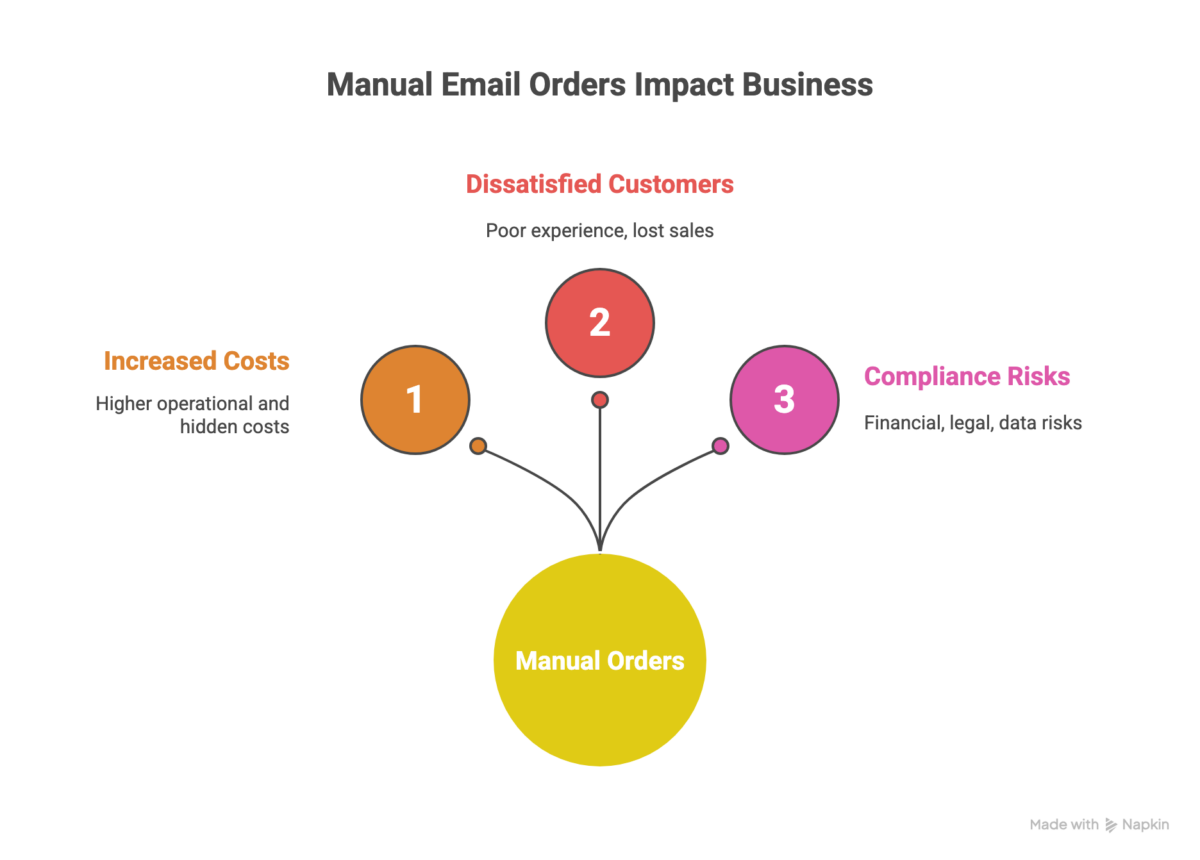
Increased Operational Costs
Manual processing drains resources across multiple dimensions:
- Direct costs: Labor hours for data entry, overtime during peaks, additional hiring, and correction time for errors
- Hidden costs: Lost productivity from context switching, supervisor time checking orders, IT support for spreadsheets, and employee training
- Error-related costs: Reshipping expenses, rush shipping, restocking fees, customer service resolution time, refunds
Conservative estimates suggest manual order processing costs businesses $15-25 per order. For a company processing 500 orders weekly, that’s $390,000-650,000 annually.
Customer Dissatisfaction and Lost Sales
In the age of Amazon Prime, customers expect instant confirmation and rapid fulfillment. Manual email processing can’t deliver this experience.
Customer pain points:
- No immediate order confirmation
- Inability to track order status
- Delayed response to inquiries
- Frequent errors in order accuracy
Research shows 67% of customers abandon a brand after just one poor experience. Manual processes also limit sales capacity; overwhelmed teams can’t focus on generating new business.
Compliance and Error-Related Risks
- Financial risks: Accounting errors, tax calculation mistakes, pricing inconsistencies, audit trail gaps
- Compliance risks: GDPR violations from insecure email handling, SOX compliance issues, industry regulations, and poor documentation
- Legal exposure: Contract disputes, customer lawsuits, regulatory penalties
Warning: Email inboxes are notoriously insecure for handling sensitive customer information. Credit card details and personal data in staff email accounts create massive data breach vulnerabilities.
How ERP Automation Solves These Issues
Automated Order Capture and Validation
Modern ERP systems automatically capture orders from multiple sources and validate them against business rules before entry.
How it works:
- Email parsing: AI-powered systems extract order information automatically
- Multi-channel integration: Orders from websites, marketplaces, EDI, and email flow into one system
- Automatic validation: Systems check against inventory, credit limits, and pricing rules
- Exception handling: Invalid orders are flagged for human review
- Instant confirmation: Customers receive automated acknowledgment
The transformation:
- Manual process: 15-30 minutes per order
- Automated process: 30 seconds per order
- Error reduction: From 1-4% to less than 0.1%
Real-Time Inventory Synchronization
ERP automation eliminates the gap between order capture and inventory awareness.
| Manual Process | ERP Automation |
| Stock updated daily/weekly | Instant inventory updates |
| Multiple conflicting spreadsheets | Single source of truth |
| Overselling due to delays | Automatic prevention |
| Manual stock checks | Instant availability confirmation |
| Separate warehouse systems | Unified multi-location visibility |
Advanced capabilities: Lot and serial number tracking, reserved inventory management, multi-warehouse optimization, and automated forecasting integration.
Streamlined Fulfillment Workflows
ERP systems orchestrate the entire fulfillment process from receipt through delivery.
Automated workflow stages:
- Order Receipt: Automatic capture, credit check, inventory allocation, shipping calculation
- Warehouse Management: Auto pick lists, optimized routes, barcode scanning, pack documentation
- Shipping: Carrier integration, tracking capture, customer notification, and delivery confirmation
- Invoicing: Auto invoice generation, payment processing, accounts receivable updates
- Post-Sale: Communication templates, RMA workflows, warranty tracking, feedback collection
ERP Implementation Best Practices
Choosing the Right ERP Solution
Key evaluation criteria:
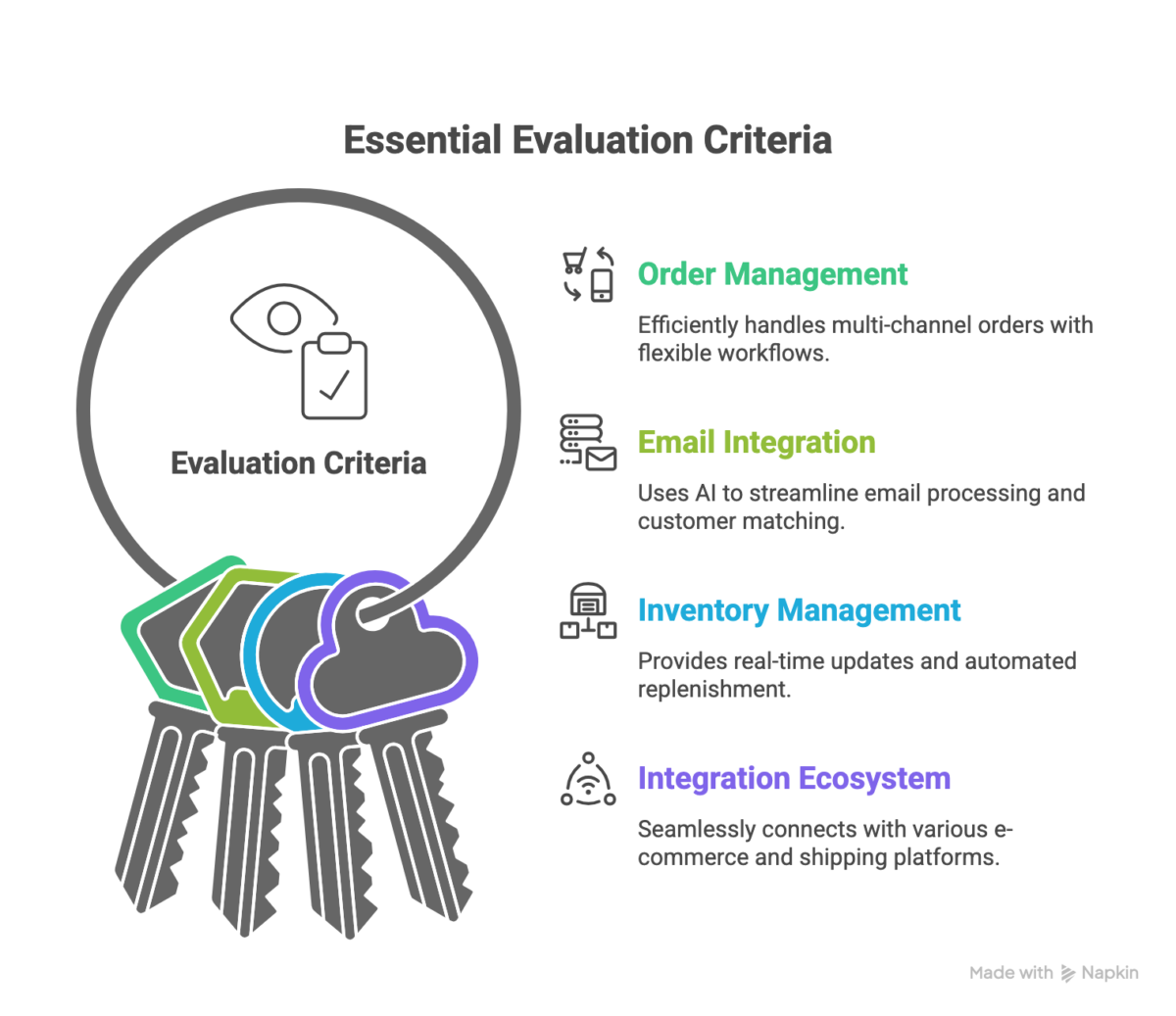
Order Management Capabilities: Multi-channel capture, flexible workflows, customer portals, advanced pricing rules
Email Integration: AI-powered parsing, format flexibility, automatic customer matching, validation rules
Inventory Management: Real-time updates, multi-warehouse support, lot tracking, automated replenishment
Integration Ecosystem: E-commerce platforms, marketplaces, shipping carriers, payment gateways
Popular ERP solutions:
Odoo – Best for small to medium businesses seeking affordable, customizable solutions.
Pricing: $24.90-$37.40 per user/month
SAP Business One – Best for growing businesses needing enterprise capabilities.
Pricing: Custom (typically $73-$91 per user/month)
NetSuite – Best for mid-market to enterprise with complex requirements.
Pricing: Custom (starts at $999/month base)
Pro Tip: Request a proof-of-concept using your actual customer emails and workflow requirements. This reveals how the system handles real-world scenarios.
Real-World Results
Wholesale Distribution Company
Before ERP:
- 800-1,000 orders/week, 12 customer service reps
- 3.5% error rate, 48-72 hour processing time
- Frequent inventory discrepancies
After ERP (6 months):
ROI: 731% over 3 years
- 92% faster processing (2-4 hours)
- 91% error reduction (0.3% error rate)
- 177% productivity increase
Conclusion
Manual email order processing may feel manageable, but it quietly limits growth, accuracy, and customer experience as volumes increase. What once worked through inboxes and spreadsheets quickly turns into delays, errors, and rising operational costs that compound over time.
ERP automation removes these constraints by turning email orders into structured, validated, and fully integrated workflows. Orders are captured automatically, inventory stays accurate in real time, fulfillment moves faster, and teams can focus on value-driven work instead of repetitive data entry. The result is not just efficiency, but reliability and scalability.
For businesses serious about sustainable growth, automating manual email orders is no longer an optimization; it’s a necessity. The sooner the transition begins, the sooner operations become predictable, customers stay satisfied, and growth stops being held back by manual processes.
FAQ
How long does a typical ERP implementation take for email order automation?
For small to medium-sized e-commerce businesses, expect 8-16 weeks from vendor selection to go-live. Simple implementations (single location, straightforward workflows) may complete in 6-8 weeks, while complex scenarios (multiple warehouses, custom integrations, compliance requirements) may take 16-24 weeks. The key variables affecting the timeline are data quality, integration complexity, and staff availability for training.
What happens to orders during the transition period?
Most businesses use a parallel processing approach during implementation. Your team continues manual processing while simultaneously testing the new ERP system with sample orders. Once confident, you execute a cutover during a low-volume period (often over a weekend). Some companies choose a phased approach, moving one product category or customer segment at a time to minimize risk.
Can ERP systems handle poorly formatted or inconsistent email orders?
Modern ERP systems with AI-powered email parsing can handle significant variation in email formats, including text emails, PDF attachments, Excel spreadsheets, and even scanned handwritten forms. The system learns from corrections and improves over time. However, very unusual or constantly changing formats may require manual intervention or customer education on preferred order formats.

Related Articles