Greetings! I'm Aneesh Sreedharan, CEO of 2Hats Logic Solutions. At 2Hats Logic Solutions, we are dedicated to providing technical expertise and resolving your concerns in the world of technology. Our blog page serves as a resource where we share insights and experiences, offering valuable perspectives on your queries.

Running a small or mid-sized B2B company means wearing multiple hats. You’re juggling customer orders, managing inventory, coordinating with suppliers, and trying to grow your business, all at the same time.
But here’s the problem: manual order processing is holding you back.
If your team is still entering orders by hand from emails, phone calls, or faxes, you’re losing time, money, and customers. The good news? Automating order capture can transform your business overnight.
Let’s explore why automation is no longer just a nice-to-have; it’s essential for staying competitive.
What is Order Capture?
Order capture is the process of collecting and recording customer orders into your system. It includes all the details: product names, quantities, prices, shipping addresses, and payment information.
Manual order capture involves the team manually entering this data from emails, PDFs, phone calls, or paper forms into your order management system or spreadsheet.
Automated order capture utilizes software to extract order details from multiple channels and feed them directly into your ERP, CRM, or order management system, eliminating the need for manual data entry.
Why Manual Order Processing is Killing Your Growth
Small and mid-sized B2B companies face unique challenges with manual order entry:
- High error rates: Typos, wrong quantities, and misread addresses lead to costly mistakes
- Slow processing: Each order takes 10-15 minutes to enter manually
- Limited scalability: You need to hire more staff to handle order volume
- Delayed fulfillment: Orders sit in email inboxes waiting to be processed
- Poor customer experience: Customers wait longer and receive incorrect shipments
WARNING: According to industry research, manual data entry has an error rate of 1-4%. For a company processing 1,000 orders monthly, that’s 10-40 order mistakes every single month, leading to returns, refunds, and frustrated customers.
Ready to transform your order processing?
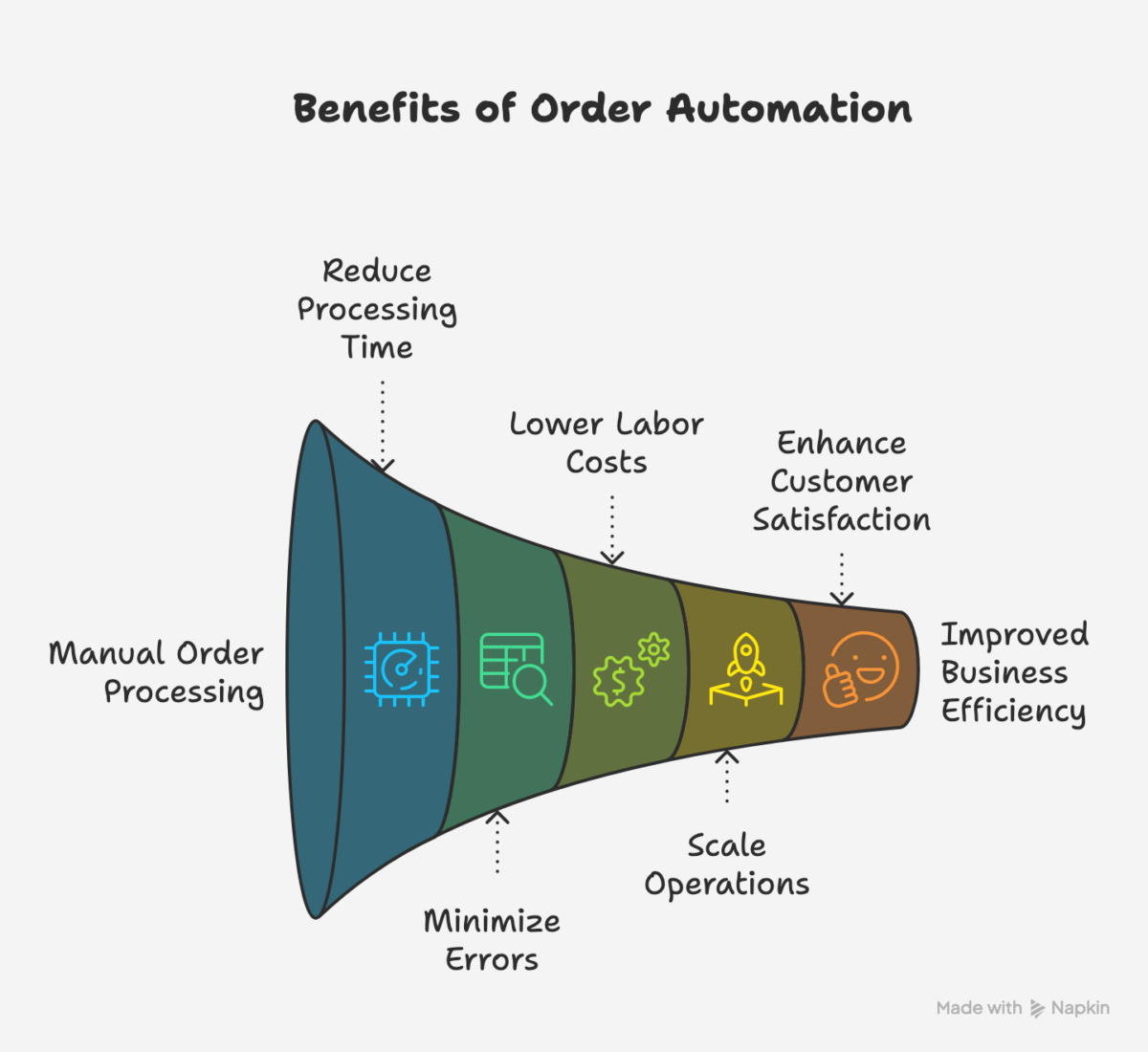
Benefits of Automating Order Capture
1. Cut Processing Time by 50% or More
Automation eliminates manual typing. Orders that took 15 minutes now process in seconds. Your team can focus on customer service and strategic work instead of data entry.
2. Reduce Errors by Up to 80%
Software doesn’t misread handwriting or make typos. Automated systems validate data in real-time, catching mistakes before they become problems.
3. Save Money on Labor Costs
Instead of hiring more people to handle growing order volumes, automation scales with your business. One study found that companies save an average of $4-8 per order processed through automation.
PRO TIP: Calculate your potential savings using this simple formula: (Average orders per month) × (Minutes per order / 60) × (Hourly labor cost) = Monthly cost of manual processing. Most SMBs discover they’re spending $3,000-$10,000 monthly on manual order entry alone.
4. Scale Without Growing Headcount
As orders increase, automated systems handle the load without needing additional staff. This means you can grow revenue without proportionally increasing operational costs.
5. Delight Your Customers
Faster processing means quicker fulfillment. Fewer errors mean happier customers. Automated order confirmations keep customers informed. The result? Better retention and more referrals.
Ready to See These Benefits in Your Business?
How Order Capture Automation Actually Works
You don’t need to be a tech expert to implement automation. Here’s the basic workflow:
- Order arrives through email, web portal, EDI, or e-commerce platform
- Software extracts data automatically using OCR, AI, or API connections
- System validates information, checking for errors or missing details
- Order flows into your ERP/CRM (like QuickBooks, NetSuite, Shopify, or SAP)
- Automatic confirmation goes to the customer
- Fulfillment begins immediately
EXTRA INFORMATION: The best automation solutions offer pre-built connectors for popular platforms, meaning setup takes days, not months. Look for solutions that offer API access for custom integrations if you use specialized software.
Industries Benefiting from Automation
Manufacturing: A mid-sized industrial parts manufacturer reduced order processing time from 12 minutes to under 2 minutes per order, allowing them to handle 40% more orders without additional staff.
Distribution: A wholesale distributor cut order errors from 3.5% to 0.4%, saving over $50,000 annually in returns and reshipments.
E-commerce: An online B2B supplier automated orders from five different sales channels into one unified system, eliminating duplicate entries and reducing processing costs by 60%.
How to Choose the Right Solution for Your Business
When evaluating order management software, prioritize these features:
✓ Multi-channel capture (email, EDI, web, mobile)
✓ ERP/CRM integration with your existing tools
✓ Real-time validation to catch errors immediately
✓ Automated workflows for approvals and routing
✓ Mobile accessibility for sales teams in the field
✓ Reporting and analytics to track performance
✓ Scalability to grow with your business
Implementation Considerations
- Start with a pilot program for one product line or customer segment
- Ensure your team receives proper training
- Plan for 2-4 weeks of setup and testing
- Choose vendors offering ongoing support
- Look for month-to-month or annual contracts instead of long-term commitments
Conclusion
Your competitors are automating. Your customers expect faster service. Your team is burning out on manual data entry.
The question isn’t whether you should automate order capture, it’s when.
The longer you wait, the more money you lose to inefficiency, errors, and missed growth opportunities. Meanwhile, competitors who automate are capturing market share by offering better service at lower costs.
FAQ
What are the benefits of automating order capture for SMBs?
Automation delivers five key benefits: faster processing (50%+ time savings), fewer errors (80% reduction), lower labor costs ($4-8 saved per order), easy scalability without hiring, and improved customer satisfaction through quicker, more accurate fulfillment.
How to automate order processing in B2B companies?
Start by choosing order management software that integrates with your ERP or CRM. The software captures orders from multiple channels (email, web, EDI), validates data automatically, and feeds orders directly into your existing systems. Implementation typically takes 2-4 weeks.
Can SMBs scale their orders without hiring more staff using automation?
Yes. Automation handles increasing order volumes without requiring additional employees. While manual processing might need one person per 200-300 orders daily, automated systems can process thousands of orders with the same small team, allowing you to grow revenue without proportionally increasing headcount.

Related Articles