Greetings! I'm Aneesh Sreedharan, CEO of 2Hats Logic Solutions. At 2Hats Logic Solutions, we are dedicated to providing technical expertise and resolving your concerns in the world of technology. Our blog page serves as a resource where we share insights and experiences, offering valuable perspectives on your queries.

Quick Summary
Microsoft has ended mainstream support for all versions of Dynamics NAV. Extended support ends next: NAV 2016 (Apr 2026), NAV 2017 (2027), NAV 2018 (2028). Once your version crosses that line, you’re operating without security patches or vendor fixes, meaning new vulnerabilities can stay open forever.
If you’re still on legacy NAV, the biggest risks are unpatched exploits, weak authentication, audit/compliance exposure (GDPR), downtime from cyber incidents, and rising IT costs. Moving to Dynamics 365 Business Central (especially cloud) reduces those risks with automatic updates, modern identity security (MFA/conditional access), encryption, and stronger monitoring.
If you’re still running Dynamics NAV, you’re not alone, and you’re not “behind” because you’re careless. Most NAV customers stayed because it’s stable, familiar, and deeply customized.
But here’s the uncomfortable truth: security doesn’t care that the system still works. The moment your NAV version leaves extended support, you’re effectively running business-critical software without a safety net.
That usually shows up in small warning signs first:
- Your IT team spends too much time babysitting servers and updates
- Auditors start asking uncomfortable questions
- Integrations feel brittle (Power BI, Outlook, APIs, modern auth)
- You’re relying on “we’ve been fine so far” as the main security strategy
And unfortunately, that strategy doesn’t hold up in 2026.
Dynamics NAV End-of-Support: What Microsoft’s Dates Really Mean
Microsoft has ended mainstream support for every NAV version. The remaining clock is extended support:
- NAV 2016: ends April 2026
- NAV 2017: ends 2027
- NAV 2018: ends 2028 (last NAV release)
After that, NAV won’t suddenly stop running, but new security vulnerabilities won’t be patched by Microsoft. So the risk increases every month you stay on it.
Your NAV Vulnerabilities
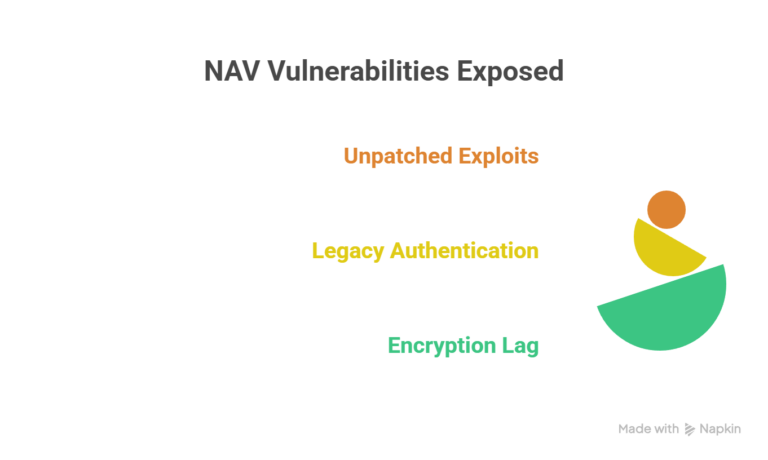
1) Unpatched Exploits Don’t Stay “Hypothetical.”
Security vulnerabilities in business software are found all the time. The difference between a manageable issue and a crisis is simple:
Can your vendor patch it fast?
For example, Microsoft disclosed CVE-2022-41127, a remote code execution vulnerability affecting on‑premises Dynamics NAV and Business Central (via WCF TCP). Supported versions received patches. Older or unsupported environments were left with limited options.
And that’s the real problem: once your NAV version is out of extended support, future vulnerabilities don’t get fixed unless you build your own workaround (and accept the risk that it’s incomplete).
2) Legacy Authentication = Easier Account Compromise
Many NAV environments still depend on older identity patterns: basic Windows auth, shared accounts, weak password hygiene, and limited visibility.
What’s missing in many legacy setups:
- MFA (multi-factor authentication)
- Conditional access policies
- Modern identity monitoring and alerting
- Stronger controls for remote access and external users
In 2026, attackers don’t need “Hollywood hacking.”
3) Encryption and Data Protection Often Lag Behind Modern Expectations
A lot of on-prem NAV systems were designed in a time when perimeter security (firewalls + VPN) was considered “good enough.”
Today, auditors and regulators expect layered security:
- encryption at rest
- encryption in transit
- secure backups and recovery controls
- documented access control and audit trails
If NAV is holding sensitive customer, financial, payroll, or supplier data, the question becomes: If someone gets inside, how exposed is that data?
Compliance Risk: GDPR and Audit Exposure Gets Real After Support Ends
Running unsupported software isn’t automatically illegal, but it can be hard to defend during an audit.
Frameworks like GDPR, SOC 2, and industry standards generally expect you to use supported systems and apply security patches in a reasonable timeframe. If you can’t patch because your ERP is out of support, you may struggle to prove you’re meeting “appropriate technical measures” for protection.
GDPR fines can be up to €20M or 4% of annual global turnover (whichever is higher). Most businesses won’t ever hit the maximum, but the reputational and contractual damage from an audit failure can hurt just as much.
The Real Cost of Ignoring These Risks
Downtime Is the Part Nobody Budgets For
Even a “small” incident can create a big operational disruption:
- Finance close delayed
- Shipping and invoicing are blocked
- Purchase orders stuck
- Inventory out of sync
- Teams reverting to spreadsheets under pressure
You don’t just pay for IT recovery; you pay for lost productivity, delayed revenue, and customer churn.
Maintenance Costs Keep Climbing
As NAV gets older:
- Finding skilled NAV resources becomes harder and more expensive.
- “Simple” changes become risky because everything is interconnected.
- Integrations require custom workarounds.
- Infrastructure costs rise (backups, monitoring, patch cycles, legacy dependencies)
So even if you avoid a breach, you’re often paying more each year just to stay in place.
NAV vs. Business Central
Here’s the difference in plain terms: NAV can be secured, but it often requires heavier internal effort. Business Central (especially cloud) is designed so that security is easier to maintain continuously.
| Security Area | Legacy Dynamics NAV | Dynamics 365 Business Central |
| Updates | Manual patching; no patches after end-of-support | Automatic updates (cloud); stays current |
| Identity | Older auth patterns; limited MFA/conditional access | Entra ID + MFA + conditional access |
| Encryption | Varies by setup; often weaker by default | Strong encryption in transit + at rest (cloud) |
| Monitoring | Mostly manual or third-party | Stronger telemetry + Microsoft security ecosystem |
| Backups | Manual processes, on-prem risk | Azure-managed backups + resiliency (cloud) |
| Compliance posture | Harder to evidence controls over time | Easier to align with modern controls (cloud) |
| Access control | Basic roles, limited auditability in many setups | Granular access + better audit trails |
Your Migration Roadmap
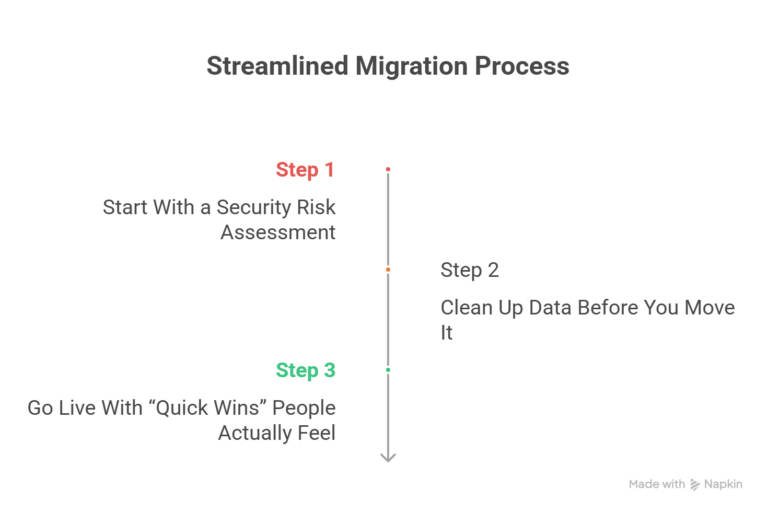
Step 1: Start With a Security Risk Assessment
Before we talk migration tools and timelines, we need to understand your real exposure:
- What NAV version are you on (and your support deadline)
- Known vulnerabilities and patch status
- Authentication model (MFA? shared accounts?)
- Encryption and backup posture
- Third-party integrations and custom code risks
- Compliance requirements (GDPR, SOC2, industry-specific)
We offer a free NAV security assessment to map this clearly
Step 2: Clean Up Data Before You Move It
The fastest migrations aren’t the ones that move everything. They’re the ones who move the right things.
We typically help teams.
- Archive old transactional history properly
- Remove duplicates and orphaned records
- Validate masters (items, vendors, and customers)
- Fix data issues that cause reporting pain later
Step 3: Go Live With “Quick Wins” People Actually Feel
A good Business Central go-live should immediately reduce risk and friction, like the following:
- MFA and modern access policies
- Mobile approvals and workflows
- Power BI reporting that isn’t a weekly struggle
- Automated backups and smoother patching
- Better visibility for finance and operations
Important: Don’t wait until your NAV version is out of support to start. A well-run project typically needs 6–12 weeks (sometimes faster). Rush jobs cost more and create more post-go-live issues.
Conclusion
If you’re still on NAV, you don’t need to panic; you need a plan.
At 2HatsLogic, we’ve been helping businesses modernize ERP and automation since 2009. We’ll start with a free NAV security assessment, show you where the real risks are, and map a practical path to Business Central that fits your timeline and budget.
Book Your Free NAV Security Assessment Today
FAQ
Will NAV stop working when support ends?
No. But you stop receiving security patches, so every new vulnerability discovered after that date becomes your problem to mitigate.
Can we keep NAV on-prem and still be safe?
You can reduce risk, but it usually means higher ongoing effort: patching, monitoring, identity hardening, and proving controls for audits. Many businesses move because they want risk reduction to be predictable, not person-dependent.
What happens to our NAV customizations?
C/AL customizations typically need to be rebuilt as AL extensions in Business Central. The upside: extensions are modular and upgrade-safe, so you’re not re-breaking things every update cycle.
How long does a NAV to Business Central migration take?
Most projects land in the 6–12 week range, depending on complexity. Some simpler migrations can be done faster with a clean scope and data plan.


Related Articles