Greetings! I'm Aneesh Sreedharan, CEO of 2Hats Logic Solutions. At 2Hats Logic Solutions, we are dedicated to providing technical expertise and resolving your concerns in the world of technology. Our blog page serves as a resource where we share insights and experiences, offering valuable perspectives on your queries.

Quick Summary
Imagine freeing your team from the repetitive tasks that eat up their day. This guide will help you spot where Robotic Process Automation (RPA) can make a real difference, highlighting 10 everyday processes that are perfect for automation. By taking the time to identify these opportunities, you’ll not only boost your team’s productivity but also cut down on errors and reduce costs. It’s all about working smarter, not harder, so your people can focus on what matters most, helping your business grow and succeed.
We’ve all been there. It’s 4 pm on a Thursday, and instead of working on something that moves the needle, you’re copying data from one spreadsheet into another system for the third time this week. Or you’re chasing down an invoice approval that should’ve taken five minutes but has somehow eaten up your afternoon.
If that sounds familiar, you’re in good company. Across industries, teams are spending enormous chunks of their week on work that feels more like admin purgatory than the job they were hired to do.
That’s exactly the problem Robotic Process Automation (RPA) was built to solve. Software bots take over the repetitive, rule-based tasks that drain your team’s energy, so your people can spend their time on work that needs a human brain. Sounds great, right?
Here’s the thing, most vendors gloss over: the technology is only as powerful as the process you point it at.
Automating a broken process doesn’t fix it. It just breaks things faster, at scale. That’s why choosing the right automation targets is the single most important decision you’ll make before you build anything.
This guide covers everything you need to get that decision right: what makes a process genuinely suited to RPA, a practical step-by-step discovery method, a scoring framework you can use today, ten real processes worth automating, and the mistakes that trip up even experienced teams. By the end, you’ll know exactly where to start and what to steer clear of.
What Makes a Process Perfect for RPA?
Not every task deserves a bot. Before you start mapping anything, it’s worth understanding what makes a process automatable and the warning signs that suggest it isn’t.
The “Three Rs” Rule
The simplest gut check for any process is the three Rs:
Repetitive: The task happens often and follows the same pattern each time. The more frequently it runs, the faster you’ll see a return.
Rule-based: Every step follows clear, documented logic. If X happens, do Y. No grey areas, no gut calls, no “it depends.”
Readable (digital data): The inputs and outputs live in a digital format that a bot can access. Structured data from databases, spreadsheets, or web forms is ideal. Handwritten notes or messy free-text? Much trickier.
If a process ticks all three boxes, it’s worth a closer look.
Key Criteria for Good RPA Candidates
Beyond the Three Rs, the strongest automation candidates tend to share a few more traits:
- High volume: The more times a task runs per day or month, the faster the payback. McKinsey found that finance and HR functions with high transaction volumes see the quickest ROI from RPA.
- Low exception rate: Processes that mostly follow the standard path are far easier to automate than those full of constant edge cases.
- Stable workflows: If the process has looked the same for six months and isn’t about to change, it’s a much safer bet.
- Digital input and output: The task starts and ends with digital data, no manual scanning or physical handoffs.
- Time-consuming but low strategic value: These are the tasks your best people dread because they’re tedious, not because they’re hard.
Try this: Ask your team, “What work do you dread most each week because it’s so repetitive?” The answers will point you straight to your best RPA candidates.
Tasks That Are NOT Good for RPA
Knowing when not to automate is just as important. Steer clear of processes that:
- Require human judgement: Anything involving interpretation, empathy, or nuanced decision-making is well outside RPA’s wheelhouse. Approving a loan based on context, resolving a complex complaint, or evaluating creative work aren’t good fits.
- Change constantly: If the process gets rewritten every few months, you’ll spend more time maintaining the bot than it ever saves you.
- Deliver small ROI: Low-volume, low-effort tasks don’t justify the investment. Automate what hurts first.
A cautionary example: a 2022 EY case study describes a multinational that tried to automate B2B customer onboarding. Frequent regulatory updates and ongoing manual exceptions meant the bot couldn’t keep up, and the team ended up doing more manual work than before.
Worth noting: A really common mistake is picking a process because it seems automatable, not because the numbers support it. Always calculate ROI before you commit.
Step-by-Step Method to Identify RPA Opportunities
Spotting automation candidates isn’t a solo project you knock out in an afternoon. It’s a structured discovery process that means talking to the right people, watching real work happen, and documenting what’s going on, not what the process manual says should happen.
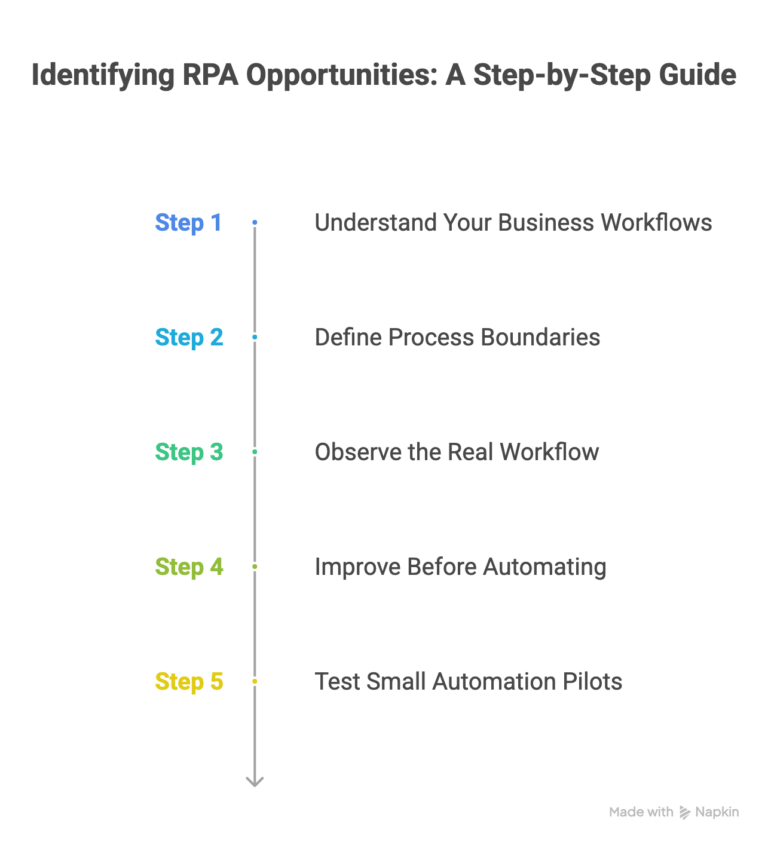
Step 1: Understand Your Business Workflows
Start by having conversations. Talk to the people who do the work day-to-day, not just the managers who think they know what happens. These frontline experts know exactly where time gets wasted, even if they’ve never been asked about it.
Good questions to ask:
- What tasks do you repeat most often?
- What takes longer than it should?
- Where do errors tend to happen?
- Which systems do you have to switch between to finish a task?
Alongside those conversations, map the systems involved. What feeds into what? Where is data entered manually? Where does it travel?
Quick win: Set up a simple process inventory spreadsheet. List every significant repeating task, the systems it touches, how often it runs, and roughly how long it takes. Even a rough list beats guessing.
Step 2: Define Process Boundaries
Every process has a clear start and a clear end. Getting precise about both prevents scope creep and makes automation design much cleaner.
- Where does it start? Is it triggered by an email, a form submission, a calendar event, or a manual action?
- Where does it end? What does “done” look like: a confirmed record in a system, a notification sent, a status updated?
Fuzzy boundaries lead to bots that don’t know when to stop. Clear definitions lead to reliable automation.
Case Example: A finance team tried to automate their entire procurement cycle but never pinned down where invoicing ended, and payment authorization began. The result? Duplicate payments and a flood of escalation tickets.
Step 3: Observe the Real Workflow
Here’s something that surprises most people: documented processes and real processes are rarely the same thing.
Teams develop workarounds. Systems have quirks. Steps get skipped or added based on years of muscle memory. The only way to see what’s really happening is to sit with someone and watch them do it live, not a demo but an actual, real-world run.
You’ll almost always spot things that weren’t in any documentation: manual copy-pastes, informal double-checks, or clever workarounds for system limitations that nobody thought to write down.
Take note of everything, then compare it against the official process. You need to automate what happens, not what was written in a manual three years ago.
Heads up: Skipping this observation step is one of the most common reasons RPA projects fail. Bots built on incorrect documentation hit the real world and break immediately.
Step 4: Improve Before Automating
This one surprises people, but it matters: don’t automate a broken process.
Before handing a workflow to a bot, take the time to:
- Remove unnecessary bottlenecks
- Simplify and consolidate steps where possible
- Standardize inputs and outputs
A leaner, cleaner process is cheaper to automate and easier to maintain. Automating an inefficient process doesn’t eliminate the inefficiency; it just locks it in permanently, at machine speed.
Think of it this way: Process improvement is pre-work for automation. Even a small investment in simplification before development begins can significantly cut build time and improve how reliably the bot runs.
Step 5: Test Small Automation Pilots
Don’t start by automating the most complex process in your business. Start with something simple, measurable, and low-risk; a single-department, high-volume, straightforward process is ideal.
Run the pilot, measure results against your projections, and use what you learn to shape the next one. Starting small builds internal confidence, surfaces integration challenges early, and gives you a proof of concept that’s easy to share with leadership.
A 2022 study found that organizations running small pilots in finance or HR were three times more likely to successfully scale RPA across other departments. The pattern is consistent: start narrow, prove it works, then expand.
Get a Personalized Process Assessment
Opportunity Scoring Framework
Once you’ve got a list of candidates, you need a structured way to prioritize them. This scoring framework gives you an objective basis for deciding what to tackle first rather than going with whichever process someone in the room is most enthusiastic about.
Key Metrics to Evaluate Processes
Gather the following data for each candidate process:
| Metric | What to Measure |
| Volume | How many times does this run per month? |
| Time per task | How many minutes does one instance take? |
| Error rate | What percentage of runs result in errors or rework? |
| Employees involved | How many people touch this process? |
| Labor cost | What’s the fully loaded hourly rate of those employees? |
These numbers form the backbone of your business case. According to surveys, processes where automation delivers more than 700 manual hours per year in savings are likely to achieve payback in under 18 months.
ROI Calculation Formula
Two simple calculations give you a solid estimate:
1. Monthly hours saved
Volume × Time per task (in hours) = Monthly hours saved
2. Annual cost savings
Monthly hours saved × Employee hourly rate × 12 = Annual cost savings
For example, a process that runs 400 times a month, takes 15 minutes per run, and is handled by employees earning £25/hour saves:
- 400 × 0.25 = 100 hours/month
- 100 × £25 × 12 = £30,000/year
Don’t overlook error costs. If a process has a 5% error rate and each error takes an hour to fix, those correction hours add up fast, and they’re often invisible until you go looking for them.
Suitability Scorecard
Rate each candidate from 1 (poor fit) to 5 (excellent fit) across these five dimensions:
| Criterion | Score (1-5) |
| Rule-based logic | |
| Data structure | |
| Process stability | |
| System accessibility | |
| Workflow standardization |
Score interpretation:
- 20-25: Automate now; this is a strong candidate
- 10-19: Consider hybrid automation or improve the process first
- Below 10: Address process issues before attempting automation
Don’t let enthusiasm override the scorecard. A process that scores 8 but involves poor system access or unstable logic will create ongoing maintenance headaches. Low scores are telling you something.
10 Processes Perfect for RPA
These ten processes consistently deliver strong results when automated across finance, HR, operations, data, and e-commerce.
Finance & Accounting

1. Invoice Processing
Ask anyone in a finance team what their most painful recurring task is, and invoice processing usually tops the list. Staff open PDFs or emails, pull out key data by hand, key it into an ERP or accounting system, match it against purchase orders, and manually flag discrepancies hundreds of times a month.
RPA bots can handle all of that: reading incoming invoices, extracting key fields, validating against purchase orders, posting to the accounting system, and triggering approval workflows automatically.
Typical time saving: 60-80% reduction in processing time per invoice.
The Institute of Finance & Management (IOFM) reports that companies using RPA for invoice processing spend up to 70% less time on the function and cut processing errors by more than 20%.
2. Payroll Reconciliation
Pulling data from timesheets, HR systems, and payroll platforms and then reconciling them line by line is both time-consuming and surprisingly error-prone. A bot can run that reconciliation automatically overnight, flag discrepancies for human review, and produce a clean report, ready before the morning shift starts.
Typical time saving: 4-8 hours per payroll cycle.
3. Compliance Auditing
Regulatory compliance often means pulling data from multiple systems to confirm controls are working as they should, then documenting everything for audit purposes. RPA can run these checks on a schedule, compile audit-ready reports, and alert your team to exceptions without anyone lifting a finger.
One important note: Always build in a human review step for flagged exceptions. Bots are excellent at spotting anomalies; humans are better at deciding what to do about them.
HR Automation
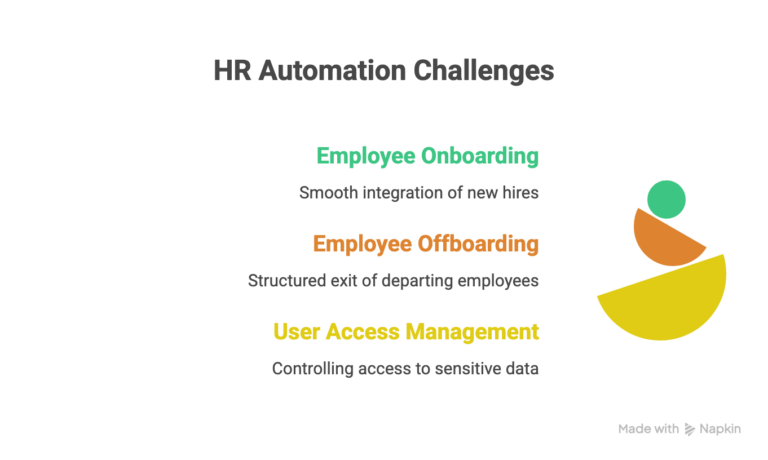
1. Employee Onboarding and Offboarding
New hire onboarding typically means creating accounts across a dozen different systems: email, HRIS, payroll, project management tools, and expense platforms. Each one is manual. Each one is a potential delay that leaves your new hire sitting idle on day one.
RPA can trigger account creation across all connected systems the moment a new employee record is confirmed, send welcome communications, and provision the right access levels automatically before the person even walks in.
Typical time saving: 2–3 hours per new hire.
Research shows HR departments using RPA reduce onboarding times by at least 50%, leading to faster productivity and better early-stage retention.
2. User Access Management
Managing access permissions, granting, modifying, or revoking access when roles change, is both time-sensitive and high-risk when it’s delayed. A bot can handle access changes immediately based on HR system triggers, keeping things compliant and secure without a queue of IT tickets.
Always include audit logging in access management automations. Many industries require a clear record of who had access to what and when changes were made. Build that in from day one.
Operations & Customer Processes
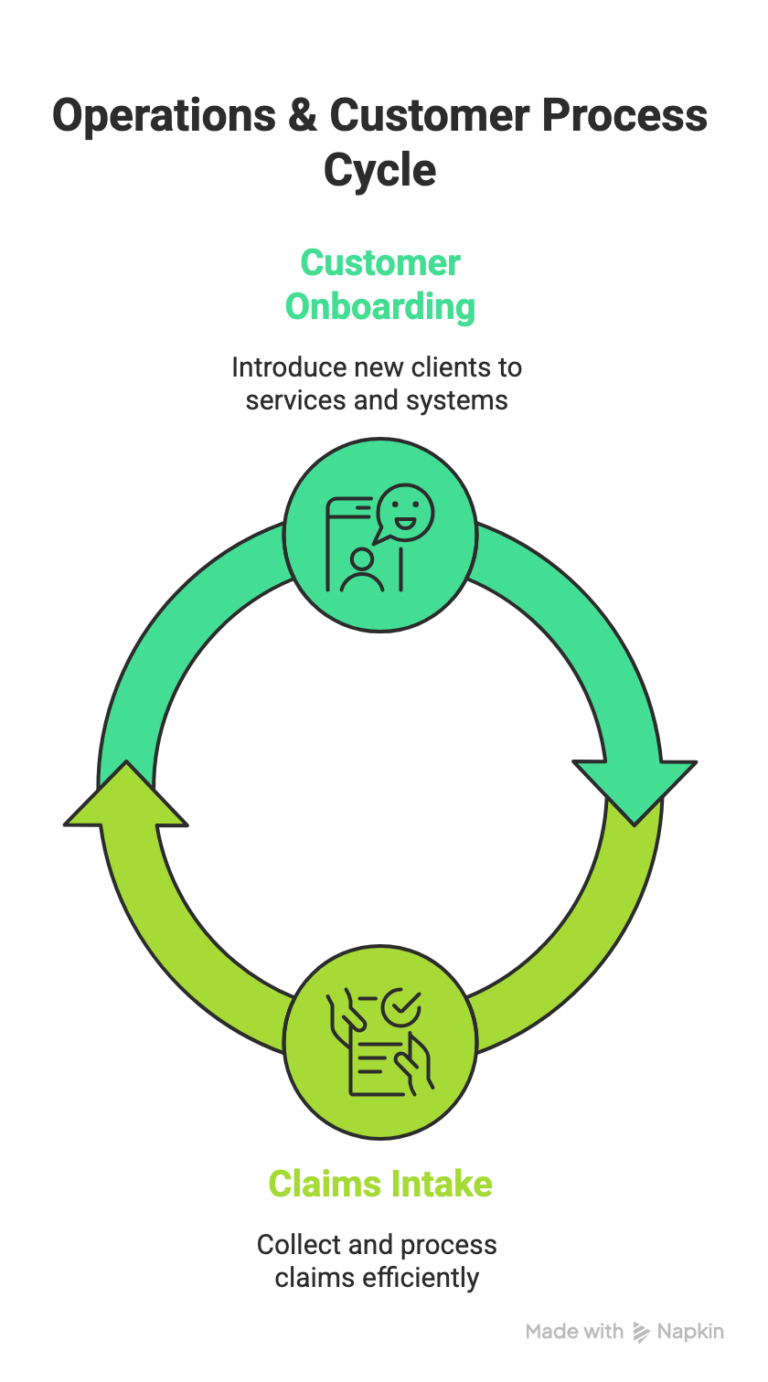
1. Customer Onboarding
New customer sign-ups often require data entry across CRM, billing, and fulfillment systems. Done manually, that creates delays, and delays at the start of a customer relationship don’t make a great impression.
RPA can pull submitted form data, populate all relevant systems simultaneously, trigger welcome communications, and create initial account records in minutes rather than days.
A case study found that financial services firms reduced customer onboarding from an average of 7 days to under 48 hours after automating the process.
2. Claims Intake
Insurance and financial services businesses handle high volumes of incoming claims, each requiring data extraction, validation, and routing to the right team. RPA can manage first-pass triage, extracting information, checking completeness, and assigning claims based on type and complexity so your claims handlers can focus on resolution rather than paperwork.
Typical time saving: Up to 70% reduction in claims intake time.
Data & Reporting Tasks
1. Report Generation
Weekly, monthly, or daily reports that pull data from multiple systems and land in inboxes every Monday morning are practically made for automation. A bot can extract the data on schedule, populate a template, apply calculations, and distribute the finished report all before your team arrives at their desks.
Typical time saving: 2–5 hours per report cycle.
Automation of digital reporting in global firms increased on-time delivery by 97% and cut manual labor hours by over 80%.
Start with your most frequently requested reports. When stakeholders see reliable, timely data showing up automatically, the internal case for expanding automation practically makes itself.
2. Data Migration
Moving data between legacy systems and new platforms is one of the most error-prone manual tasks in any business, and it tends to involve huge volumes of records where small mistakes compound quickly.
RPA can handle high-volume data migration with built-in validation rules, dramatically reducing errors and cutting migration timelines compared to purely manual approaches.
A study found that legacy modernization projects using RPA showed a 40% drop in data reconciliation exceptions.
E-commerce & Supply Chain
1. Order Fulfillment Checks
For e-commerce businesses, every single order involves checking status, confirming stock, updating the customer, and triggering dispatch notifications across multiple systems. Done manually at volume, that’s an enormous amount of repetitive work.
RPA links those systems and completes the checks and updates automatically, at whatever scale your order volumes demand.
Typical time saving: 30–60 seconds per order, which sounds small but adds up quickly.
Retailers implementing RPA for order checks and updates reported a 50% reduction in customer complaints about order status, per a 2022 Capgemini survey.
Bonus: Price Monitoring
Competitive price monitoring, checking competitor websites, tracking changes, and updating internal pricing rules are repetitive, time-sensitive, and easily forgotten when the team gets busy. RPA bots can run these checks on a schedule, flag changes, and even trigger pricing updates within defined parameters, keeping you competitive without anyone having to remember to do it.
See which of these processes fits your business.
Real-World Example: Invoice Processing Case Study
Let’s make the ROI framework concrete with a real scenario.
The Situation
A growing e-commerce business receives around 600 supplier invoices per month. For each one, a member of the finance team has to:
- Open the invoice email or PDF
- Pull out the key data: supplier, amount, date, and PO number
- Key it into the ERP system
- Match it against the relevant purchase order.
- Flag any discrepancies and email the relevant buyer
Each invoice takes roughly 8 minutes. The finance team member handling it earns £28,000 per year, around £14.40 per hour fully loaded.
The Numbers
Monthly hours spent:
600 invoices × 8 minutes = 4,800 minutes = 80 hours/month
Annual hours:
80 × 12 = 960 hours/year
Annual cost:
960 × £14.40 = £13,824/year
With RPA handling straight-through invoices (around 85% of volume), the bot automatically processes roughly 510 invoices per month. The remaining 90 exceptions go to a human reviewer, who handles them in a fraction of the original time.
Net annual saving: approximately £11,750 before factoring in error correction costs, late payment penalties avoided, or any gains from early payment discounts.
UiPath customers have reported even greater savings when accounting for missed early payment discounts (often 1–2% of invoice value), not just direct labor costs.
The Intangible Benefits
The financial case is solid, but the less measurable benefits matter too:
- Faster payment cycles: Suppliers get paid on time, which strengthens relationships and can unlock early payment discounts.
- Fewer errors: Manual data entry mistakes drop sharply, along with the time spent chasing and correcting them.
- Happier finance staff: Taking the most tedious part of the job off the plate improves morale and reduces turnover risk in a role where experience genuinely counts.
When presenting internally: lead with the hard numbers, but don’t leave out the intangible benefits. Finance directors respond to cost savings; operations leaders respond to fewer errors and faster cycles. Speak to both.
Common Mistakes When Identifying RPA Opportunities
Even experienced teams stumble on these. Knowing them in advance can save you significant time and money.
1. Automating Broken Processes
This is the number-one mistake in RPA, full stop. If a process is already inefficient or inconsistent, automation doesn’t fix it; it amplifies the problem at scale.
The fix: Run a process improvement pass before you start automation design. A leaner process builds faster and runs far more reliably.
2. Ignoring Process Mapping
Skipping formal process documentation to get to development faster is a shortcut that almost always costs more than it saves. Undocumented edge cases surface mid-build and cause expensive rework. Even a simple flowchart significantly reduces build risk.
The fix: Invest time in mapping the process properly before a line of automation logic is written.
3. Choosing Low-ROI Tasks
The easiest process to automate isn’t always the most valuable. Teams sometimes opt for simple, low-volume tasks as early wins only to find the business impact is too small to justify scaling the program.
The fix: Use the scoring framework to prioritize by impact, not just ease.
Watch out for “vanity automation”: bots that look impressive in demos but don’t materially reduce cost or effort. Every automation project should be tied to a measurable business outcome.
4. Over-Engineering Simple Automation
Not every bot needs to handle every possible exception. Building complex logic for edge cases that represent 2% of volume can double your development time.
The fix: Start with straight-through processing for the standard path, then add exception handling iteratively based on actual data.
5. Not Involving Employees
When employees aren’t brought into the process, they sometimes hold back information, report inaccurate process details, or quietly disengage from the project. Nobody wants to feel like they’re being automated out of a job.
The fix: Be transparent. Frame automation as something that removes the parts of the job people hate, not a replacement for the people themselves. Involve process owners from day one.
How to Start Your First RPA Automation Project
You’ve identified your candidates, scored the opportunities, and learned what to avoid. Here’s how to move from planning to running automation.
1. Identify Candidate Processes
Use the discovery steps above to build a shortlist of three to five processes. Score each one using the suitability scorecard and ROI formula.
2. Score and Prioritise Opportunities
Rank your shortlist by combined score and ROI potential. Pick the top candidate as your pilot, ideally something high-volume, stable, and rule-based. Finance and HR processes often fit well at this stage.
3. Run a Pilot Automation.
Build the bot for your pilot with a clearly defined scope. Start narrow: automate the standard path first, then extend to handle exceptions in later iterations. Set a timeline and success criteria before development begins.
4. Measure ROI
After four to eight weeks of live operation, compare actual performance against your projections. How many hours were saved? What was the error rate? Did the bot run reliably? Document everything; these numbers are your business case for expanding the program.
5. Scale Automation
Use what you learned in the pilot to sharpen your approach, then move to the next process on your list. As your program grows, invest in a Centre of Excellence (CoE), a small internal team responsible for governance, standards, and making every subsequent automation cheaper and faster to deliver.
Track more than time saved. What does your team do with the hours automation gives back? Time redirected to strategic work, better customer service, or revenue-generating activity makes a far stronger ongoing case for automation investment than raw efficiency numbers alone.
Ready to launch your first RPA project?
Conclusion
Knowing where to look is half the battle with RPA. The ten processes we’ve covered, from invoice processing to order fulfillment checks, aren’t theoretical examples. They’re the places where real teams are reclaiming real hours every single week and redirecting that time toward work that’s worth their energy.
The technology itself isn’t the hard part. The hard part is choosing the right starting point, cleaning up the process before you automate it, and building internal momentum that turns a single pilot into a genuine program.
You don’t need a perfect roadmap to get started. You just need to pick one process that hurts, run the numbers, and prove it works. Everything else follows from there.
If you’d like help figuring out where that first step should be, our team is happy to walk through it with you, no obligation, just a clear-eyed look at where automation could make the biggest difference for your business.
FAQ
How do I know if a process is automatable?
Run it through the Three Rs: is it repetitive, rule-based, and does it operate on readable digital data? Then use the suitability scorecard to rate it across logic, data structure, stability, system access, and standardization. A score above 20 is a strong green light.
What's the fastest RPA use case to implement?
Invoice processing and report generation are consistently among the quickest. Both are well-defined, high-volume, and built on structured data, which means a working bot in four to six weeks is realistic, with measurable ROI not far behind.
How long until I see ROI from RPA?
For well-chosen, high-volume processes, you'll typically see ROI within three to six months of go-live. Some implementations, particularly in finance or data entry, recover their costs within the first quarter of operation.
Do small businesses need RPA?
Absolutely, RPA isn't just for large enterprises. If your business has high-volume, repetitive manual processes like order processing, customer onboarding, and reporting, the economics can still work strongly in your favor. Cloud-based RPA platforms have also brought the cost of entry down significantly.
Can AI replace RPA?
It's less about replacement and more about partnership. RPA excels at structured, rule-based tasks. AI adds the ability to handle unstructured data, make judgment calls, and learn from patterns. Modern platforms increasingly combine both. AI handles the complexity, and RPA executes the actions. Pairing tools like OCR and AI with RPA, for example, extends automation to document-heavy processes like invoice and contract data extraction that would have been off-limits for RPA alone.
Table of contents
- What Makes a Process Perfect for RPA?
- Step-by-Step Method to Identify RPA Opportunities
- Opportunity Scoring Framework
- 10 Processes Perfect for RPA
- Real-World Example: Invoice Processing Case Study
- Common Mistakes When Identifying RPA Opportunities
- How to Start Your First RPA Automation Project
- Conclusion


Related Articles